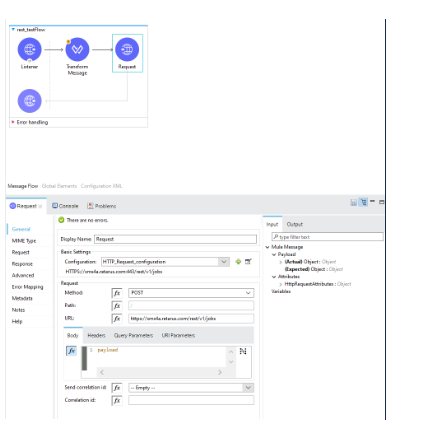
This integration guide covers how to set up a connection between the Retarus SMS REST API and Mulesoft Anypoint Studios with Salesforce. For this example, a REST-based service connection is described. However, SOAP and SMTP are also viable options. This approach is also applicable to other Retarus gateways, such as Retarus Cloud Fax and Transactional Email.
Prerequisites
-
Valid license e.g. Anypoint Platform desktop IDE (Anypoint Studio | Integrated Development Environment (IDE) | MuleSoft)
-
Valid Retarus REST API Account and Credentials
-
API Platform, e.g. Postman (Postman API Platform | Sign Up for Free)
Part 1 Logical Setup and Logic Blocks
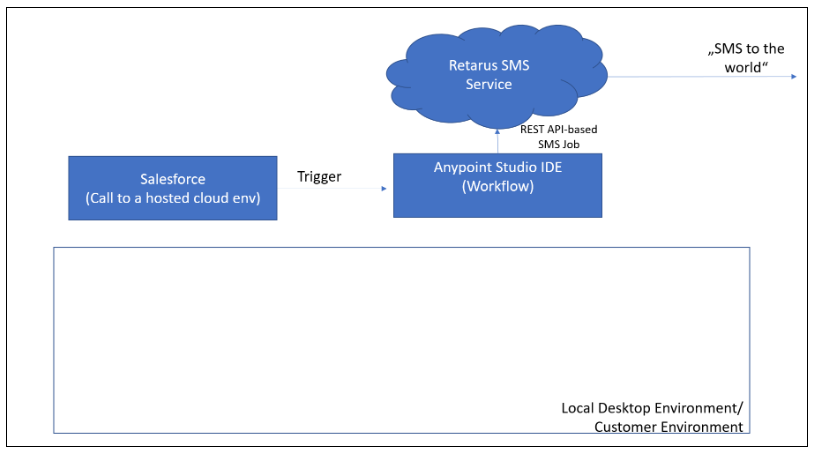
Logical Setup
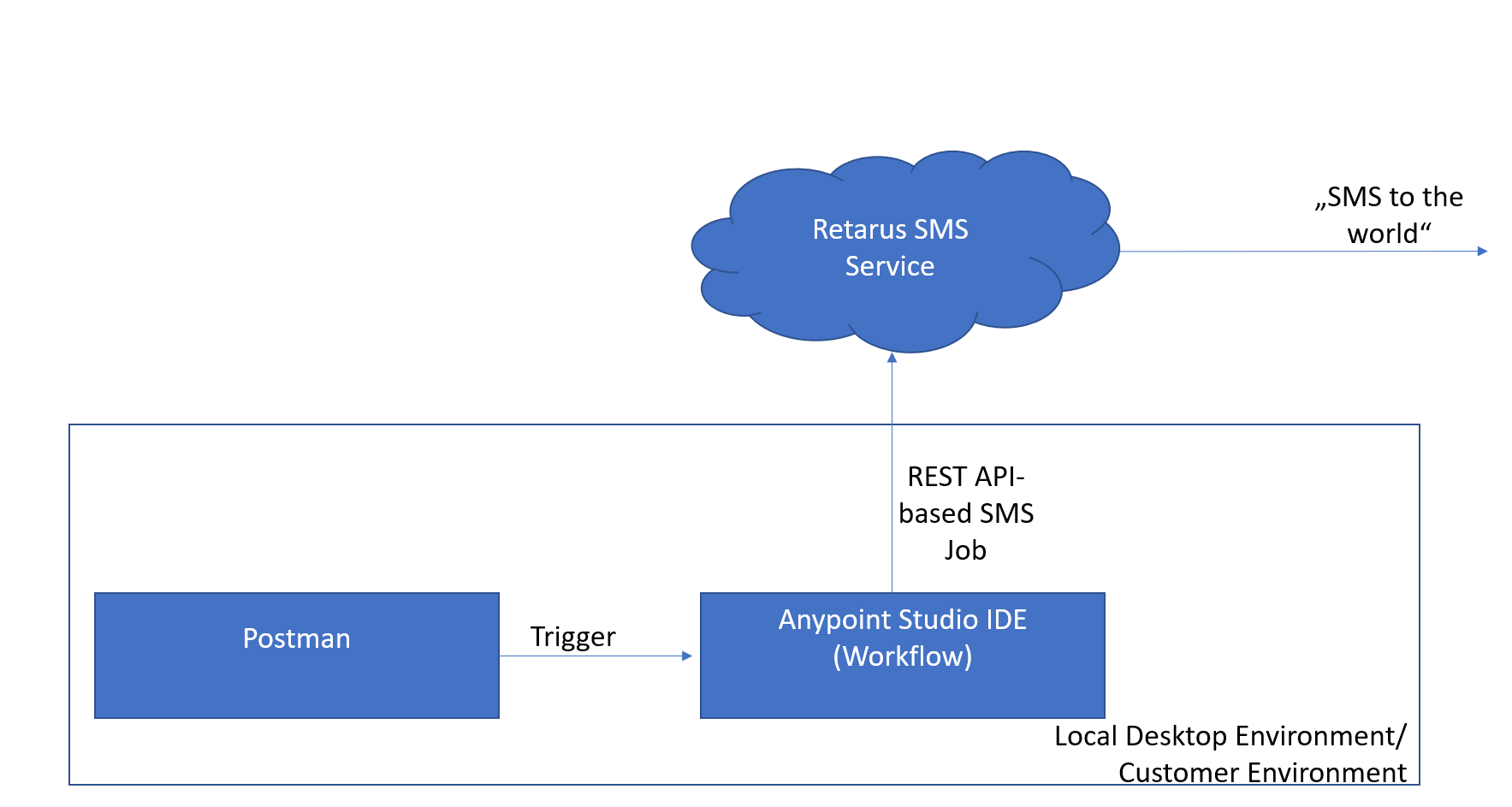
Logic Blocks
Anypoint Studio IDE Logic required blocks:
-
Anypoint Studio IDE Logic required blocks: listener, transform message, and request
-
Connecting Salesforce to Mulesoft
-
Salesforce Flows
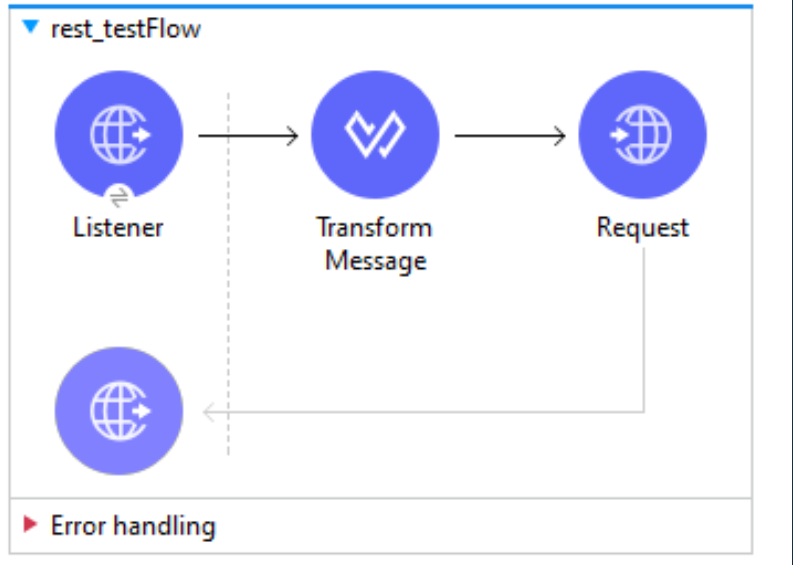
1. Listener
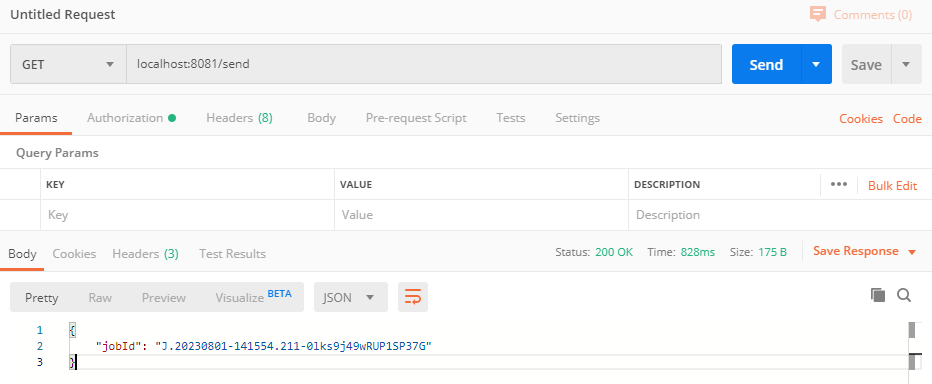
The Listener listens on a port (e.g. 8081) for requests.
A Request to the listener can be generated via Postman; the SMS Job ID is provided to the Postman App, as depicted here.
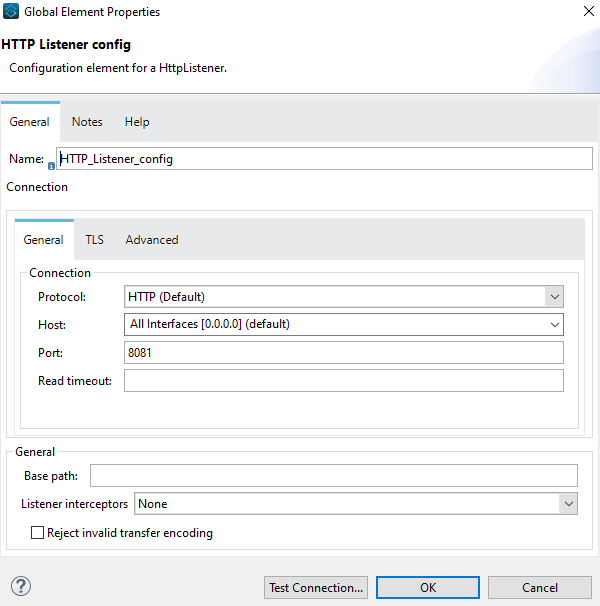
HTTP Listener config
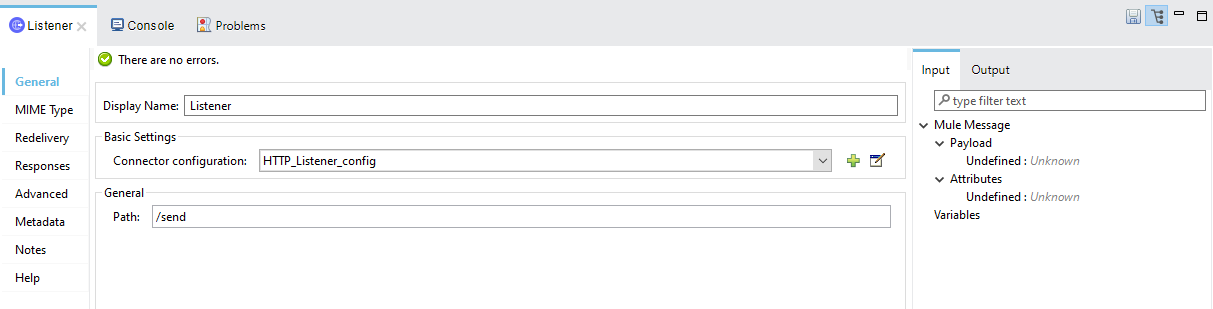
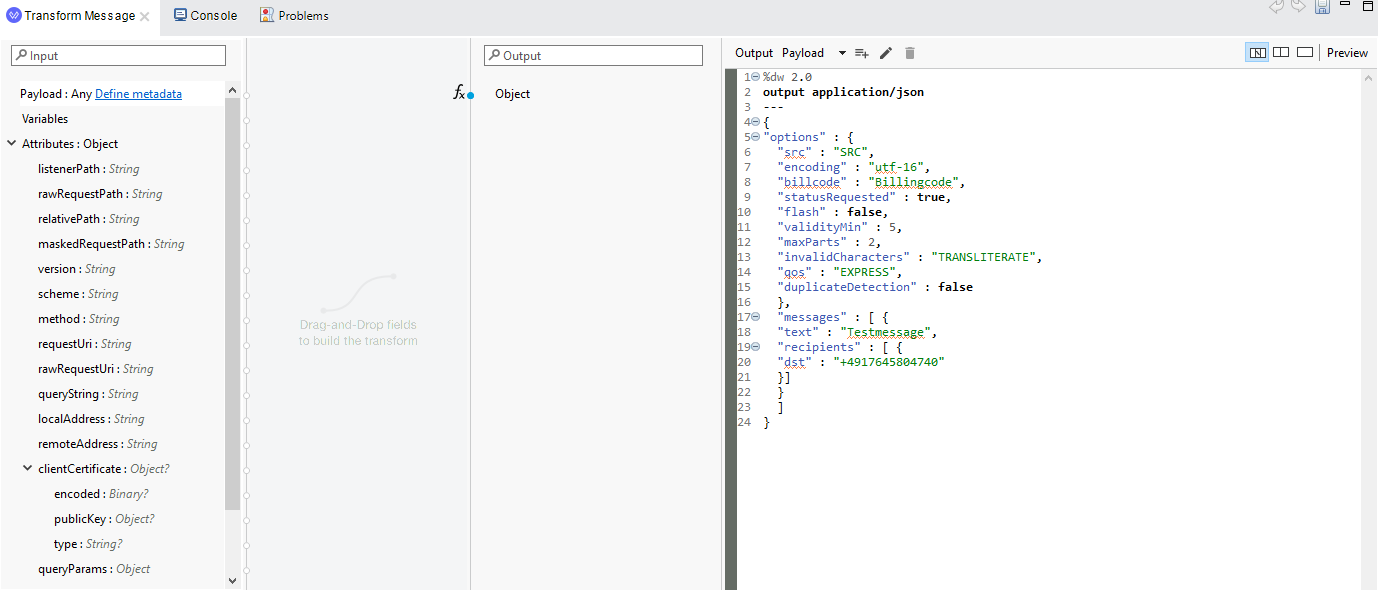
2. Transform Message
Hardcoded output application/JSON in the Transform Message
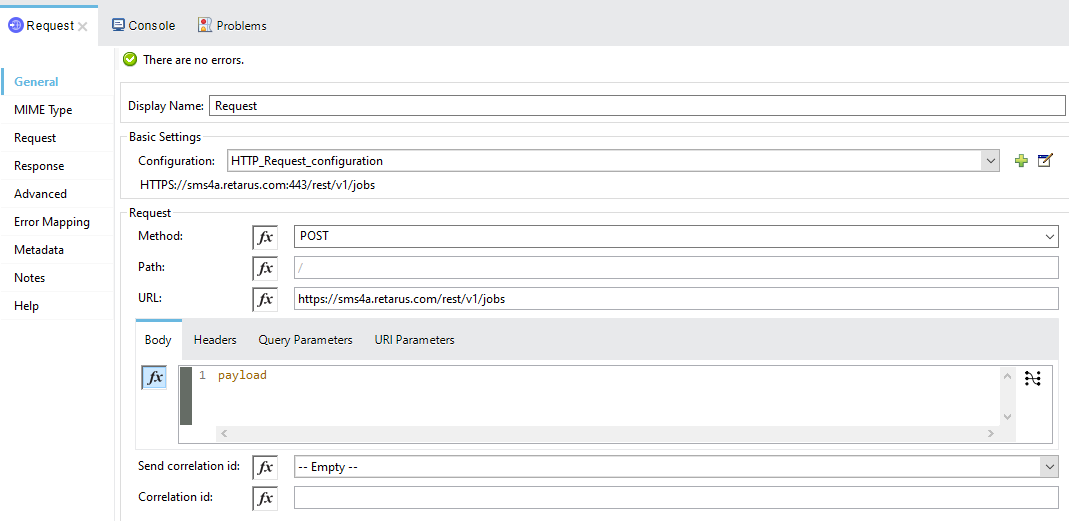
3. Request
Part 2 Connecting requesting Salesforce application to Mulesoft
1. Mulesoft Setups
-
In this overview, Salesforce is used as the requesting application to Mulesoft through event triggering.
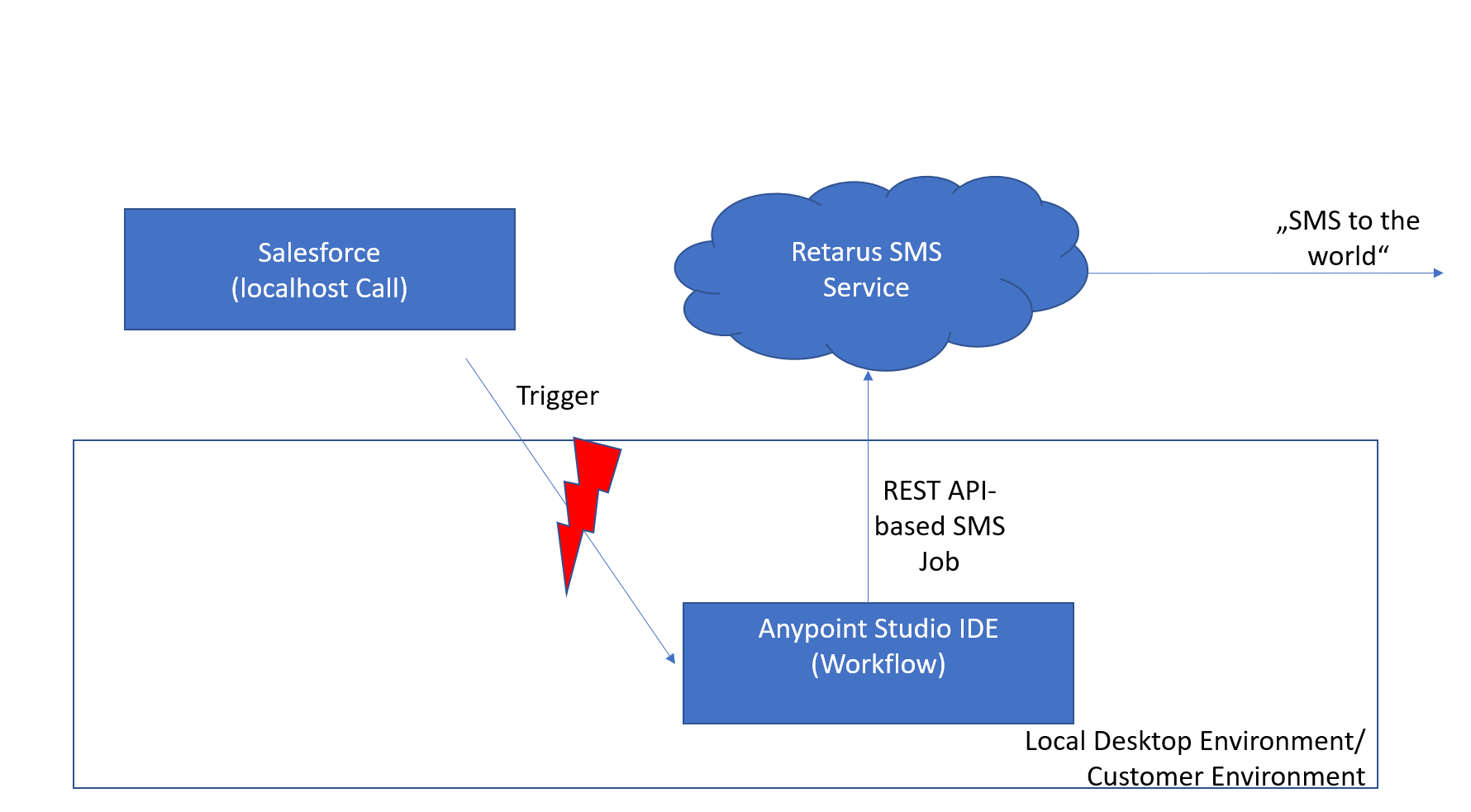
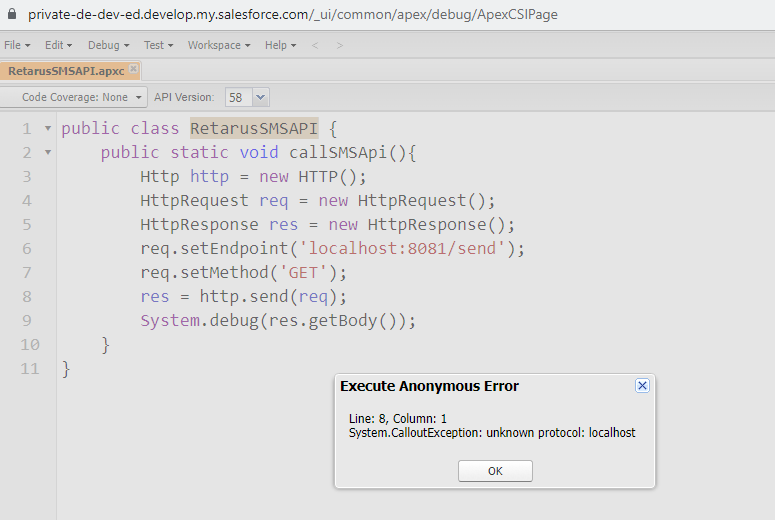
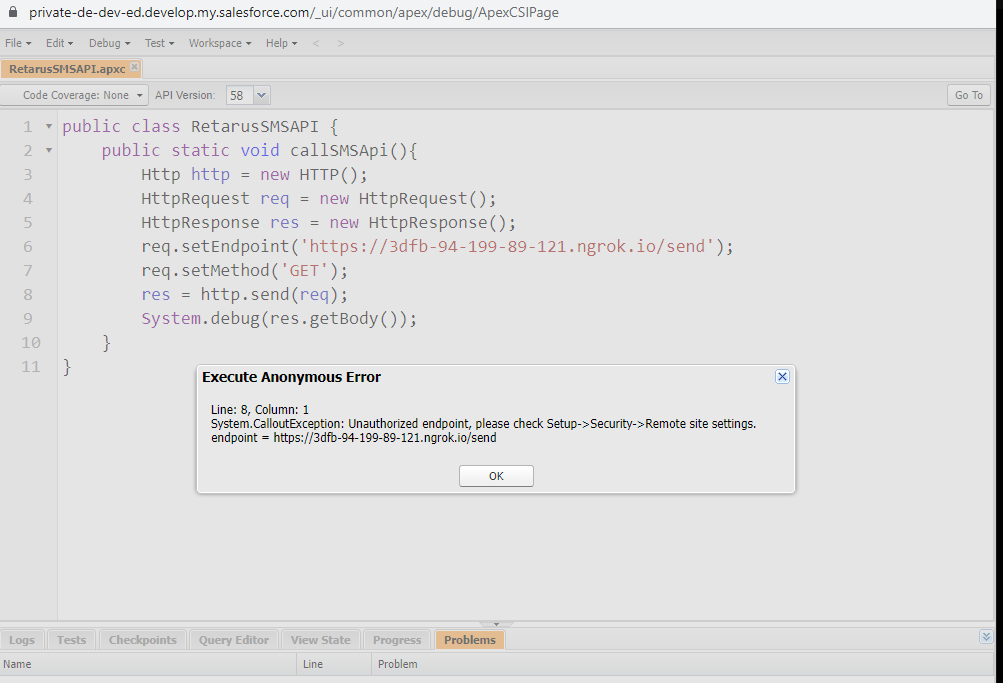
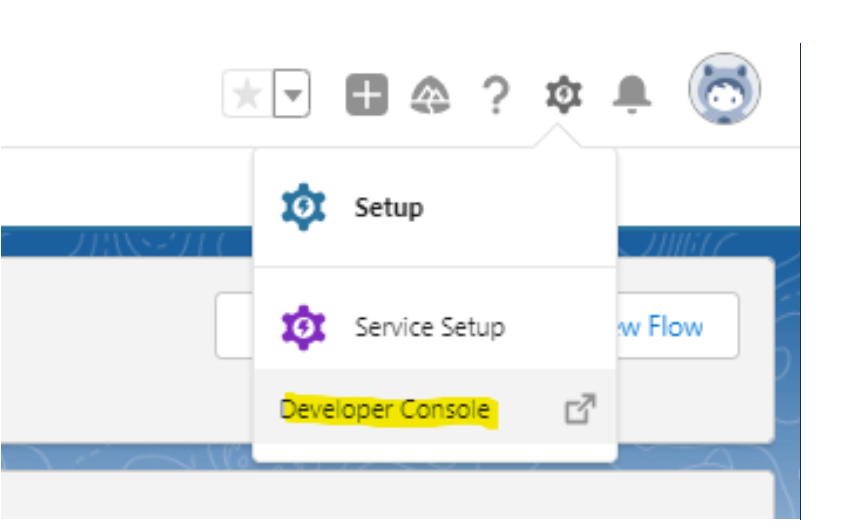
Mulesoft Anypoint Studio cannot directly connect via localhost to Salesforce (see the screenshot below). The Mulesoft environment can be hosted on a web service (e.g. AWS, Heroku), and you can
build a proxy tunnel to your localhost (https://salesforce.stackexchange.com/questions/244166/rest-call-to-locally-installed-machine).
-
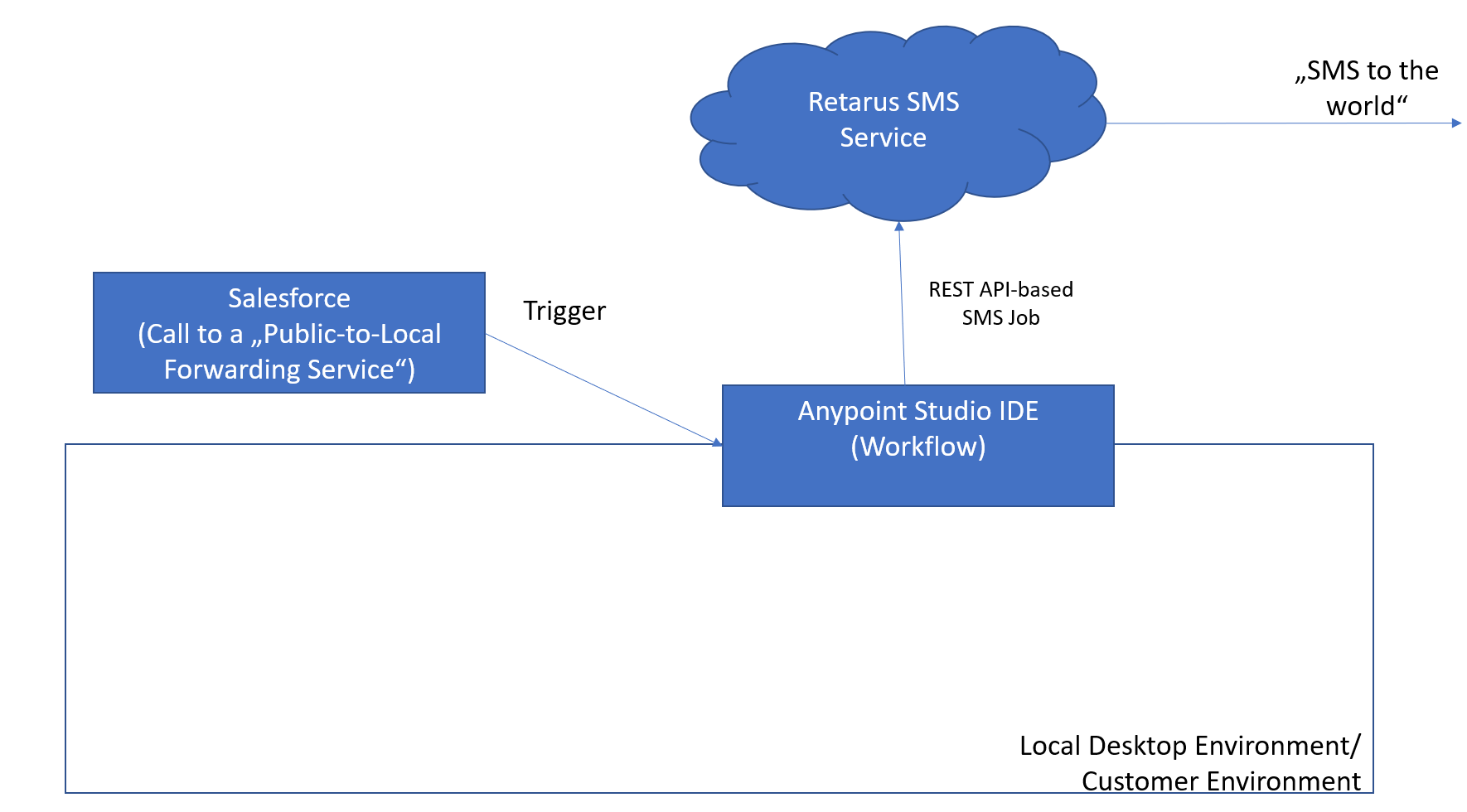
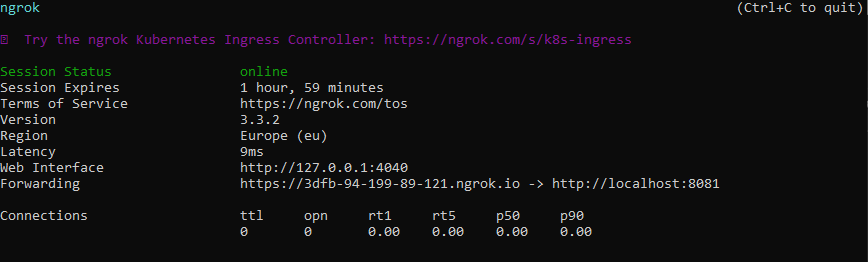
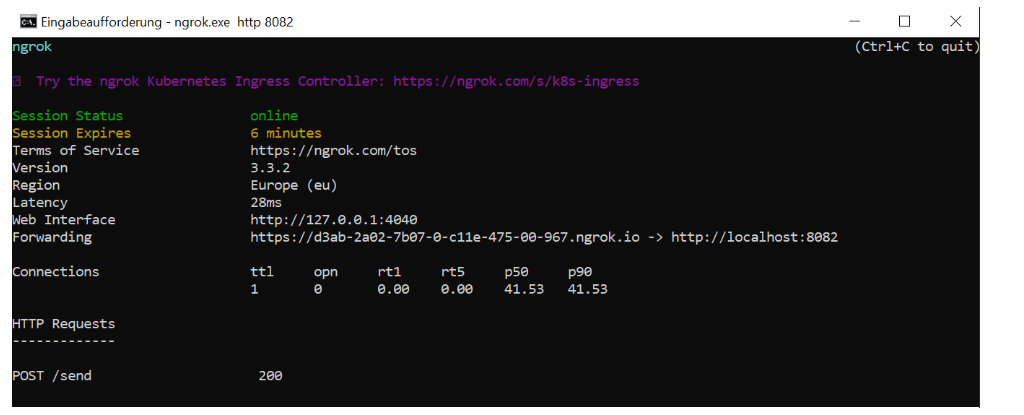
Or get access to the localhost via an application like NGROK
2. Making the local API public available via tunnel like NGROK
Please be aware that there is an open connection to your local environment via a dedicated port. Consequently, it is recommended that you only do this for testing.
Part 3 Send SMS from your Salesforce Application
How to send SMS out of your Salesforce Application
In this section, you will see how you can send an SMS out of any Salesforce application by using:
-
Mulesoft Anypoint Studio
-
Salesforce APEX Code
-
Salesforce Flows
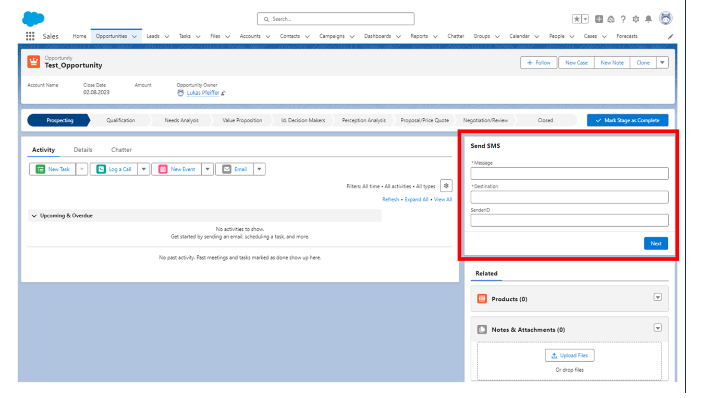
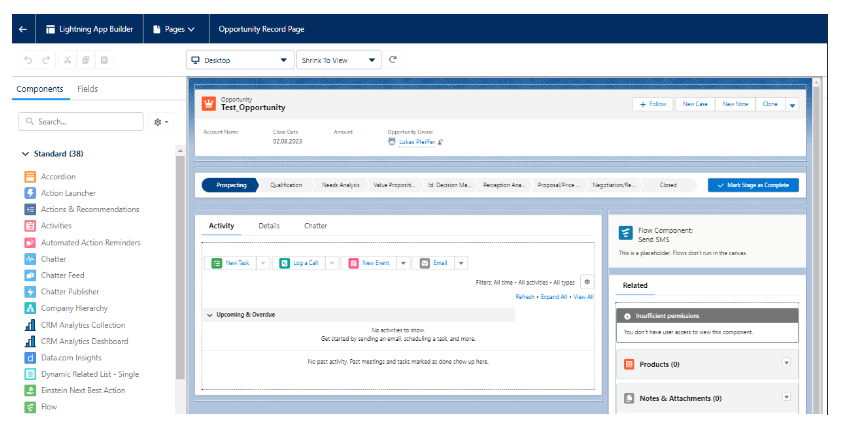
At the end of this section, you will see how to integrate a "Send SMS" - GUI into a Salesforce Opportunity Page (see red box in the image below).
Add your desired content in the "Send SMS" box on the right (see image below) and click Next.
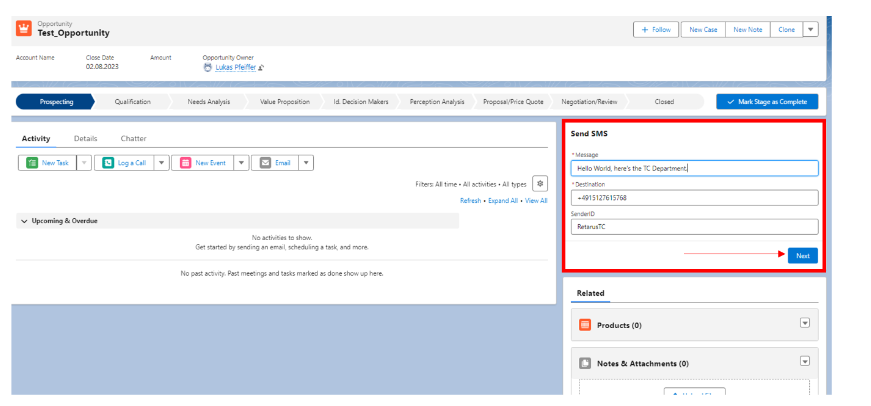
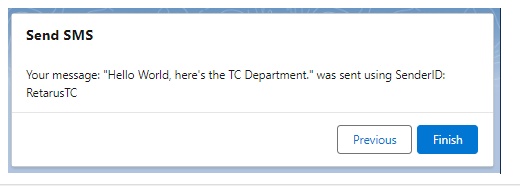
After clicking Next a message displays in Salesforce, notifying you that the send process was triggered.
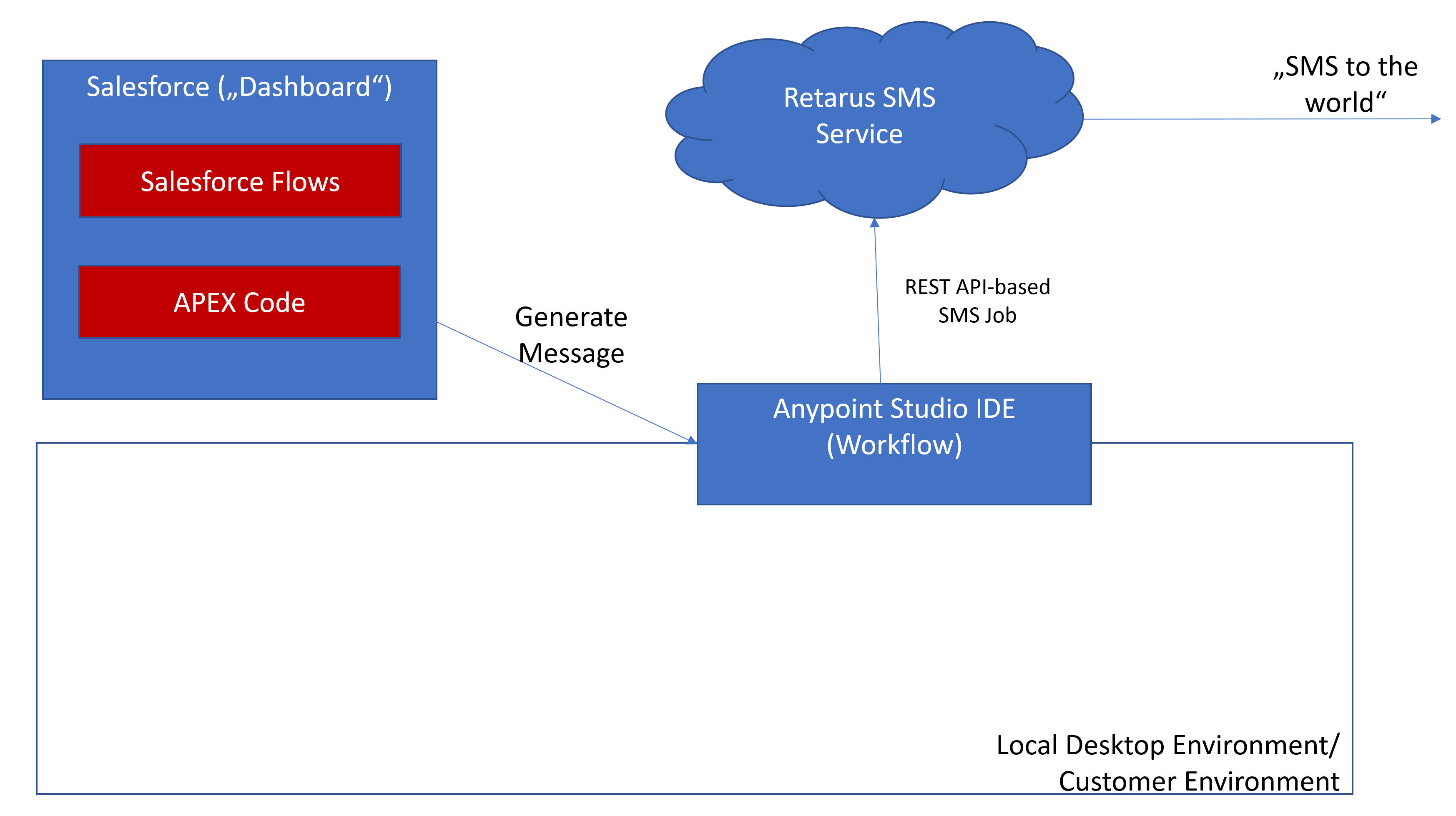
This is NOT a successful delivery notification provided by Retarus. Grabbing the JobID Status is not a part of this overview. The data flow is depicted here as: Salesforce Dashboard → Salesforce Flows → Apex Code → HTTP Request to Mulesoft was performed without error. If an error occurs in this toolchain, an error message displays: "Please consult your Salesforce Admin is triggered”.
In this example, the Salesforce Admin receives an email with more information on the send request via email.
Programming Logics and Salesforce Flows
The following logics data flows are covered here:
-
Message parameters are defined by the end-user using the "Dashboard"
-
The input data is processed by a Salesforce "Flow" Component
-
The Flow component calls an APEX Class providing via HTTP Request the data to Muleosoft AnyPoint Studio
-
Mulesoft AnyPoint Studio (compiled program, hosted locally but reachable using NGROX via https request) listens to the HTTP Request von specified Port
-
AnyPointStudio transforms the received data into the REST API Format required by the Retarus REST API
-
AnypointStudio sends out an HTTP Request to the Retarus infrastructure
1. Message parameters
Defined by the end-user using the "Dashboard" that can be integrated into any Salesforce Page using the "Edit Page”/Lightning App Builder:
2. Input Data
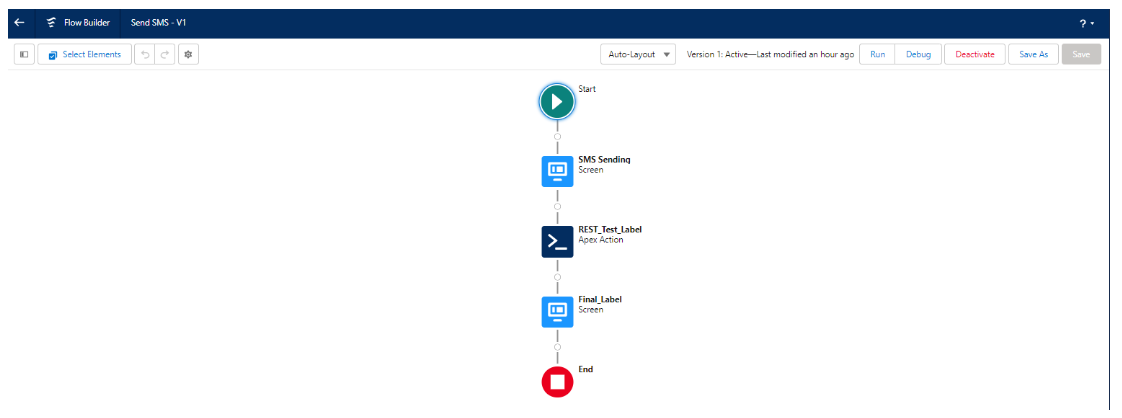
The input data is processed by a Salesforce "Flow" Component (see example logic below).
3. Call the APEX Class
The Flow component "Apex Action" calls an APEX Class providing via HTTP Request the data to Muleosoft AnyPoint Studio.
Sample APEX Code for embedding multiple parameters out of Salesforce Flow:
|
Mulesoft AnyPoint Studio (compiled program, hosted locally but reachable using NGROX via https request) listens to the HTTP Request von specified Port.
As described earlier in this document, AnyPoint Studio compiled program can be hosted via NGROX for external connectivity.
4. Transform Message
AnyPointStudio transforms the received data into the REST API Format required by the Retarus REST API
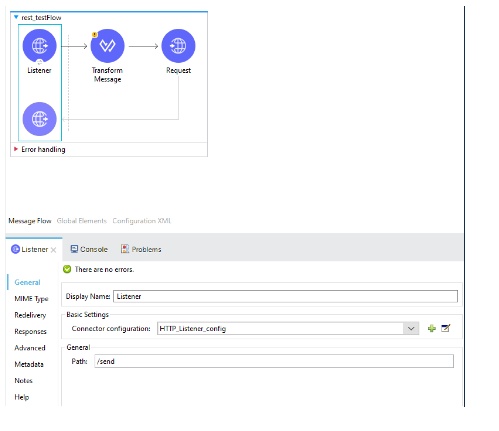
A transform message block transforms the received JSON data into the REST format required by the Retarus REST API POST Format:
Sample code:
|
5. Request the Retarus Messaging Platform
AnypointStudio "Request" component sends out an HTTP Request to the Retarus infrastructure in the required JSON Format.