Allowed Sender Address
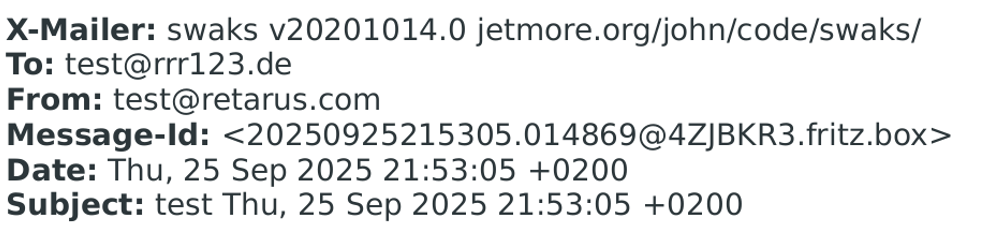
By default, any email addresses from a registered domain can be used as a Sender Address. With the Allowed Sender Address feature, you can define a restricted list of email addresses that can issue an email through the SMTP Concentrator. When enabled, any outgoing message sent from an unapproved Sender Address is automatically rejected before delivery, preventing unauthorized usage and ensuring strict adherence to designated sending policies. Administrators can enforce this feature per authentication profile within the SMTP Concentrator provisioning files.
Here are the prerequisites for using this feature:
-
Define the Sender Addresses in the
provisioningfiles;
-
A maximum of 50 different email addresses per provisioning entry are allowed.
Forced Sender
With the Forced Sender feature, outbound emails originating from internal or local Domains via the SMTP Concentrator can now be rewritten for both the underlying sender address (Envelope-From) and the visible display name in the recipient's mailer (MIME-From). This ensures email clients no longer display secondary route indicators like "via" in recipients' inboxes, maintaining clean, fully authenticated branding across all mail flows. Administrators can enforce this feature per authentication profile within the SMTP Concentrator provisioning files.
To use this feature, define the Sender address to enforce in the provisioning files according to the following rules:
-
Define at least a valid plain address: this value overwrites the Envelope-From address. Example: forced@sender.test;
-
Define a friendly name in addition of the plain address: if set, these values overwrite the Envelope-From and MIME-From Headers. Example:
"Friendly From<forced@sender.test>"; -
Both the plain address and friendly name must be valid according to RFC 5322 specifications;
-
If any validation fails, the provisioning entry is not applied.
Full example
|
|
Original local Domain |
Forced Sender – provisioning entry |
Envelope-From |
MIME-From visible into recipient’s inbox |
|---|---|---|---|---|
|
Without the Forced Sender |
foobar.local |
none |
printer@foobar.local |
printer@foobar.local via sender.test |
|
Forced Sender with plain address |
foobar.local |
forced@sender.test |
forced@sender.test |
forced@sender.test |
|
Forced Sender with plain address and display name |
foobar.local |
Friendly From <forced@sender.test>
|
forced@sender.test |
Friendly From <forced@sender.test>
|
Dashboard
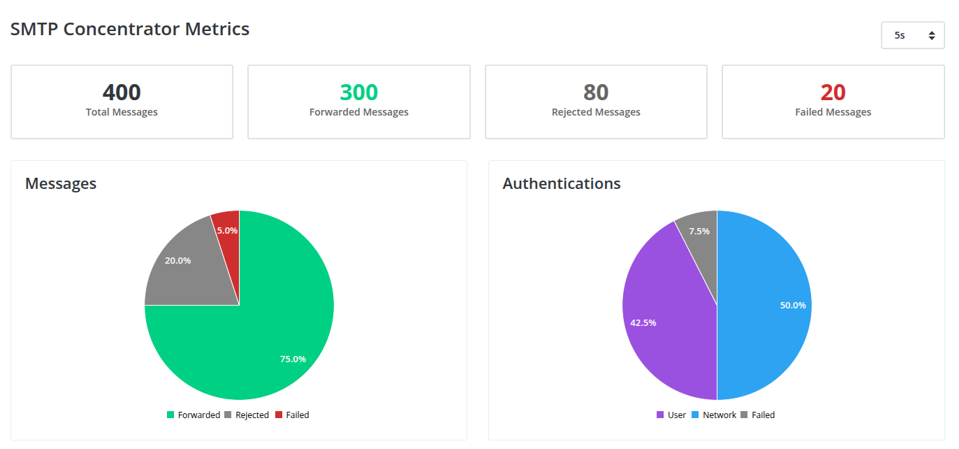
Get a comprehensive view of critical metrics and data for your running SMTP Concentrator App. This interactive, browser-based dashboard details essential metrics. Alternatively, this data is also available in the standard Prometheus Data Format, ready for ingestion by your preferred observability platform.
Included in the Dashboard are the following:
-
a total Message Metrics overview (forwarded, rejected, failed);
-
authentications (user, network, failed);
-
a Live Log service;
-
Sender and System statistics;
-
an Authentication check;
-
configuration details;
-
as well as TLS certificate information.
The dashboard’s automatic refresh interval is optional (Off) and adjustable (from 1 second to 10 minutes).
📌 About data retention
As the SMTP Concentrator run into your own infrastructure, the data processed by the App do not leave your environment. The data are retained as long as you do not restart the App.
Landing page
Message metrics Overview
Details how many total messages have been sent. Breaks down the total into the number of messages that have been forwarded, rejected, and/ or failed.
-
Rejected Messages: attempt to send a message that was unauthorized based on customer parameters. E.g. “misuse” by the sender;
-
Failed Messages: messages that did not reach the intended recipient. E.g. syntax error or invalid address.
Authentications metrics
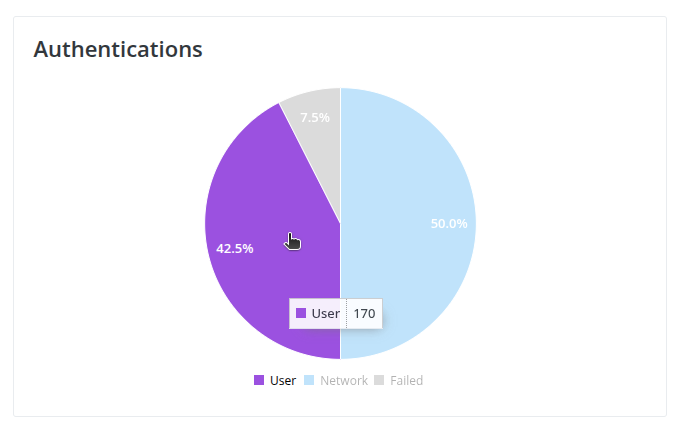
Displays the total number of authentication attempts, broken down by percentage into user, network, and failed attempts.
Live Log
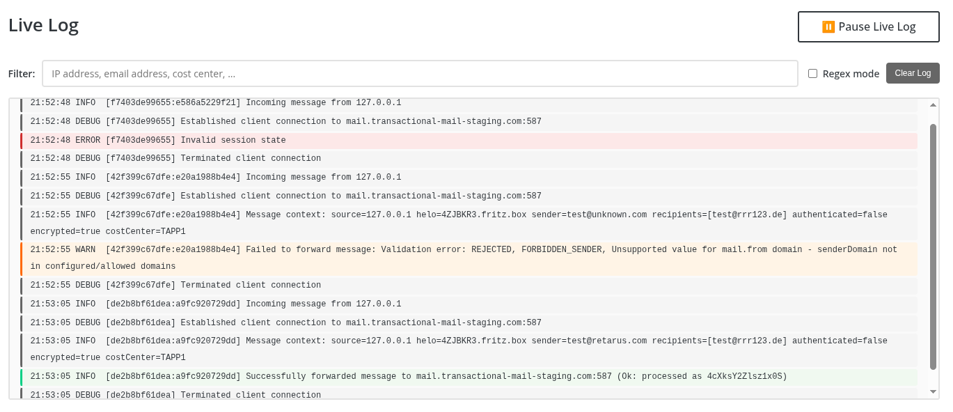
Details all messages that are sent and their status (green, yellow, red):
-
Green: messages that are successfully forwarded (as defined above)
-
Yellow: messages that are rejected (as defined above)
-
Red: Messages that fail (as defined above)
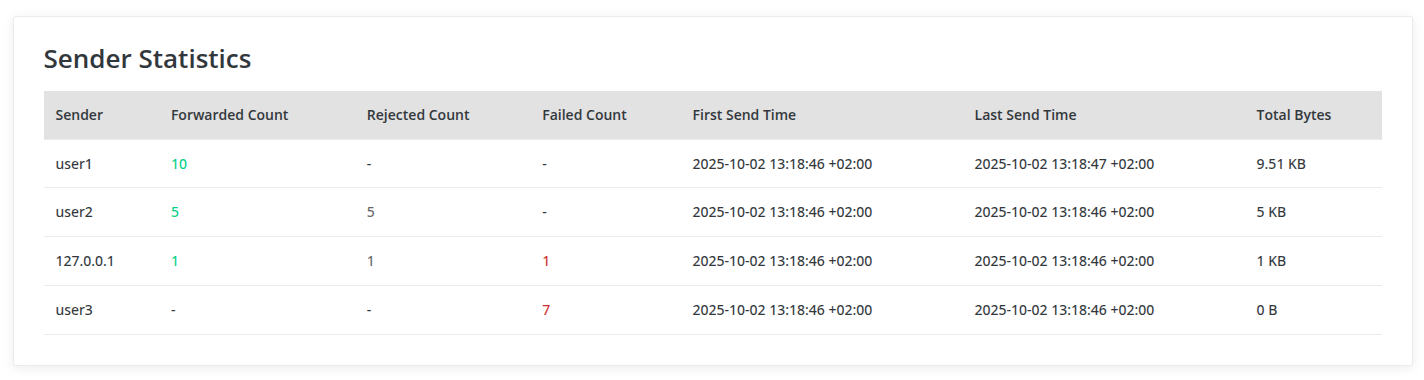
Sender Statistics
Lists the total number of users and/ or sender IP address (based on authentication method, Basic Authentication vs Source IP authentication) as well as the following critical details for each:
-
Forwarded messages (total)
-
Rejected messages (total)
-
Failed messages (total)
-
First message sent (time and date)
-
Last message sent (time and date)
-
Total data size (in bytes)
System Statistics
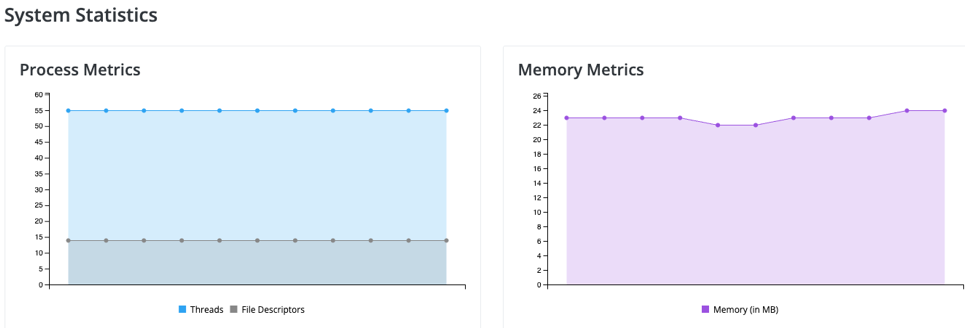
Visualizes the system’s Process (threads and file descriptors) and Memory metrics as a line graph. Serves as a system health check whereas when the line is flat, the system is stable. Peaks or spikes in the line indicate instability or system stress.
-
Process Metrics: the total number of threads and file descriptors that are operating in parallel.
-
Threads: worker units that can process different tasks simultaneously. When it comes to the SMTP Concentrator, every processed message requires one active thread for processing. An increased number of threads indicates more processed messages in parallel.
-
File Descriptors: represent open data streams. Every session requires at least two data streams for the connections. An increased number of file descriptors indicates more processed messages in parallel.
-
-
Memory Metrics: the total amount of memory that is being used (in megabytes).
Authentication check
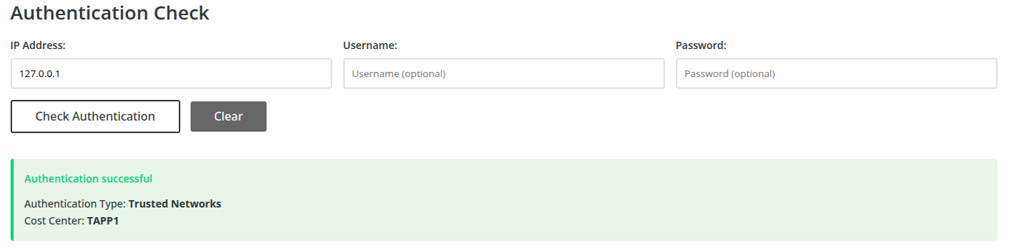
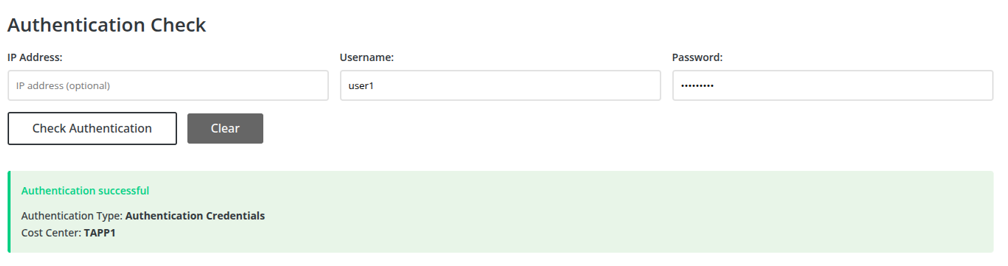
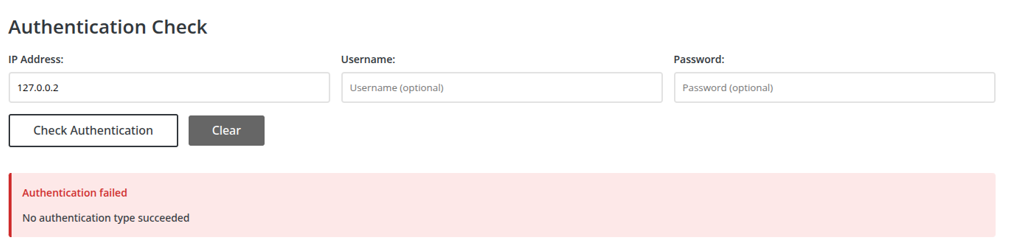
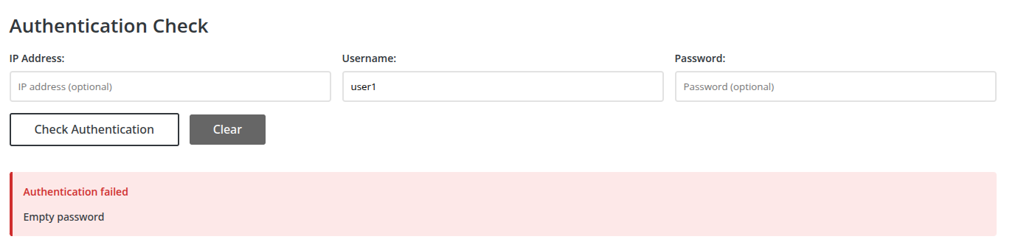
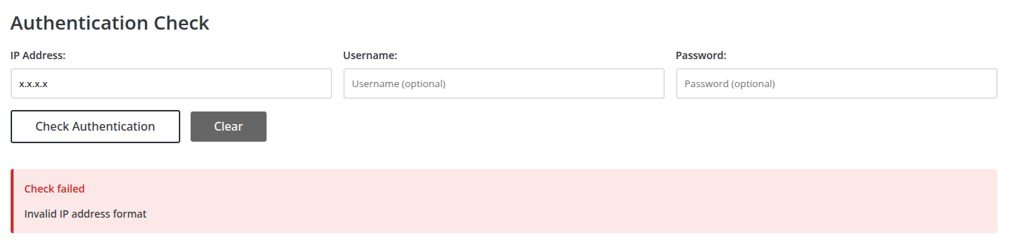
Instead of referencing the SMTP Concentrator configuration file, we offer administrators an interface to check the authentication result for an IP address or credentials.
-
Green: successful
-
Red: authentication failure
Configuration Details
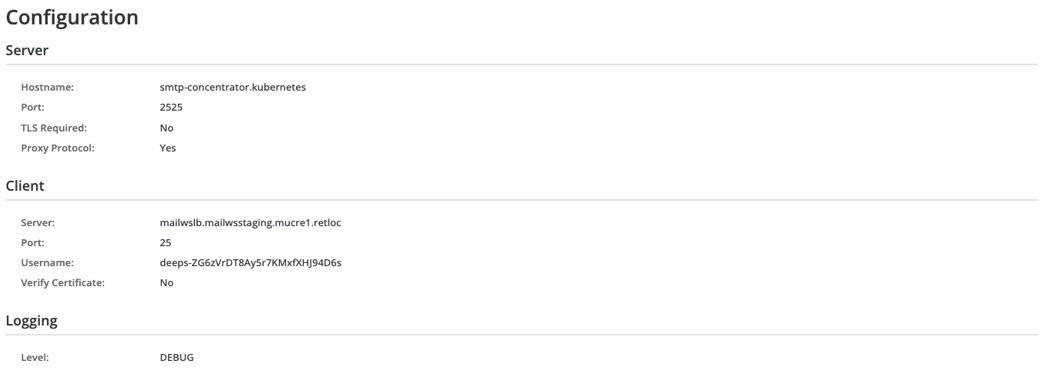
This serves the purpose providing you a summary of all Servers, Clients, and Logging details listed for the SMTP Concentrator instance.
-
Server details: host name, port, TLS requirement, proxy protocol
-
Client details: server, port, user name, certificate verification requirement
-
Logging: shows the level status
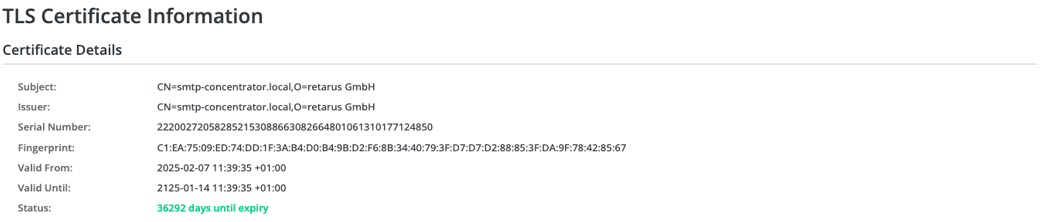
TLS Certificate Information
Lists the details of the SMTP Concentrator’s TLS Certificate. Information includes:
-
Subject
-
Issuer
-
Serial Number
-
Fingerprint
-
Validity date (issue date and expire date)
-
Status (number of days until expiry)
Privacy feature - Headers stripping
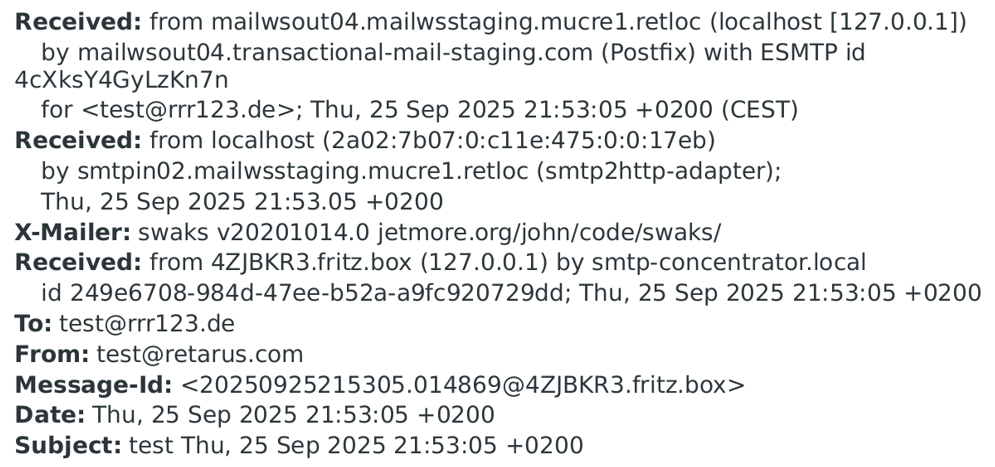
In addition to adding RFC-compliant 'Received' Headers, the SMTP Concentrator now includes a configurable function to remove internal 'Received' and related Headers.
This is especially useful when emails pass through several internal hops before leaving your enterprise network. These internal headers, which may contain confidential information such as IP addresses or server names, are deleted before the email reaches the Transactional Email service, ensuring they don't leave your environment.
This optional feature is enabled by selecting the 'Remove Internal Headers' option.
Functionality: All 'Received' headers generated during internal hops prior to the message reaching the Concentrator are removed from the email.
📌 All-or-nothing
When you enable the 'Header stripping' feature, the SMTP Concentrator instance removes all internal headers from any message it processes.
Before, privacy feature not enabled
After, with privacy feature enabled
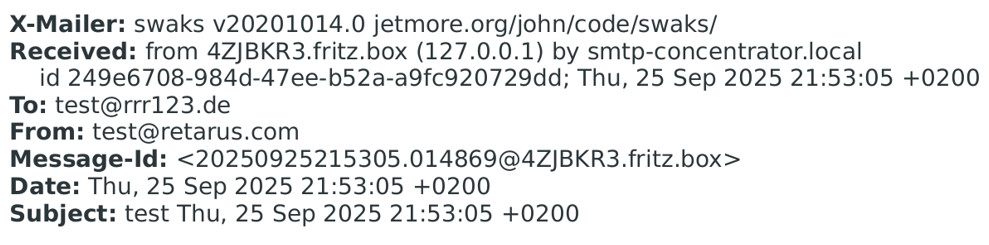
With the config option “addReceivedHeader: false” the concentrator removes the “Received” header of its own.