
Use Microsoft Entra ID to enable Single Sign-On (SSO) for myEAS/EAS with the OpenID Connect protocol. With this setup, your users sign in through Microsoft Entra ID and get secure, seamless access to myEAS/EAS without separate credentials.
This configuration establishes trust between Microsoft Entra ID (Identity Provider) and Retarus (Service Provider).
Prerequisites
-
You have administrator access to the Microsoft Entra admin center.
-
Each user's email address attribute is available in your directory. myEAS/EAS uses the
mailattribute to authenticate users. -
If the email address used for Entra login differs from the myEAS/EAS login, contact your Retarus Implementation Engineer to clarify which directory attribute to use.
-
You have received a Redirect URI from your Retarus Implementation Engineer.
Configuring OpenID Connect SSO
Register a new application
-
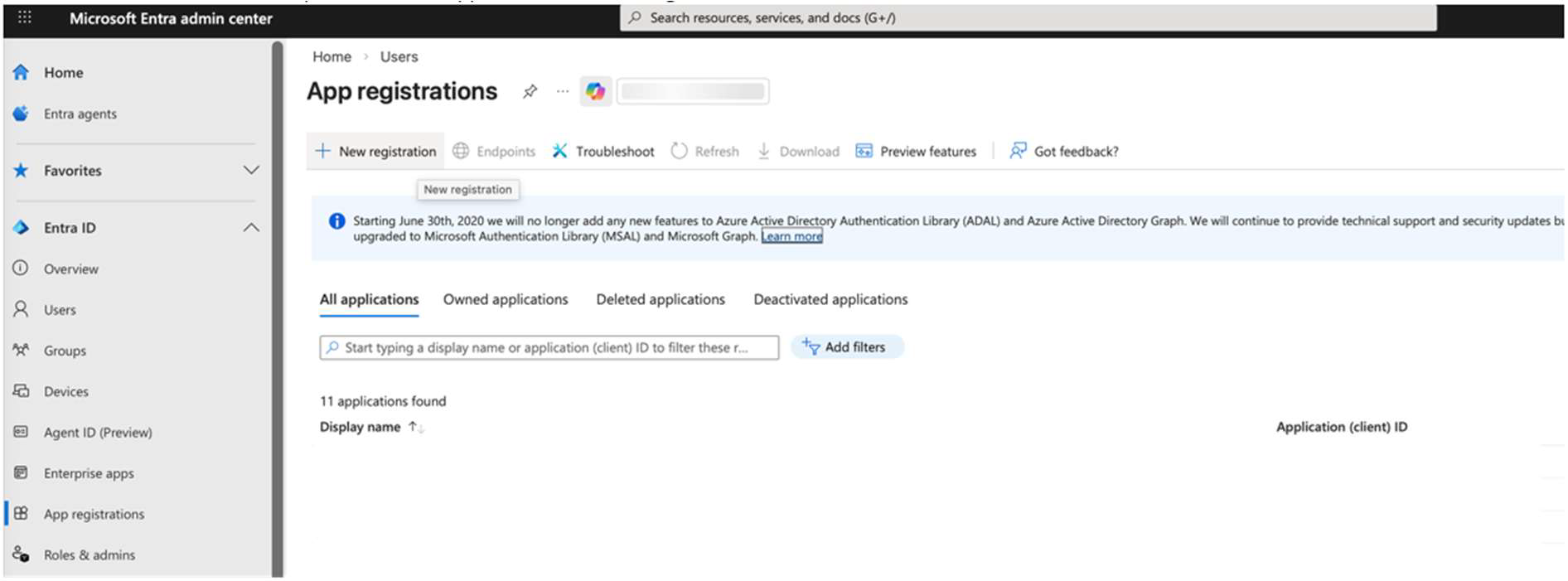
Sign in to the Azure portal and go to Entra ID - App registrations.
-
Select New registration.
-
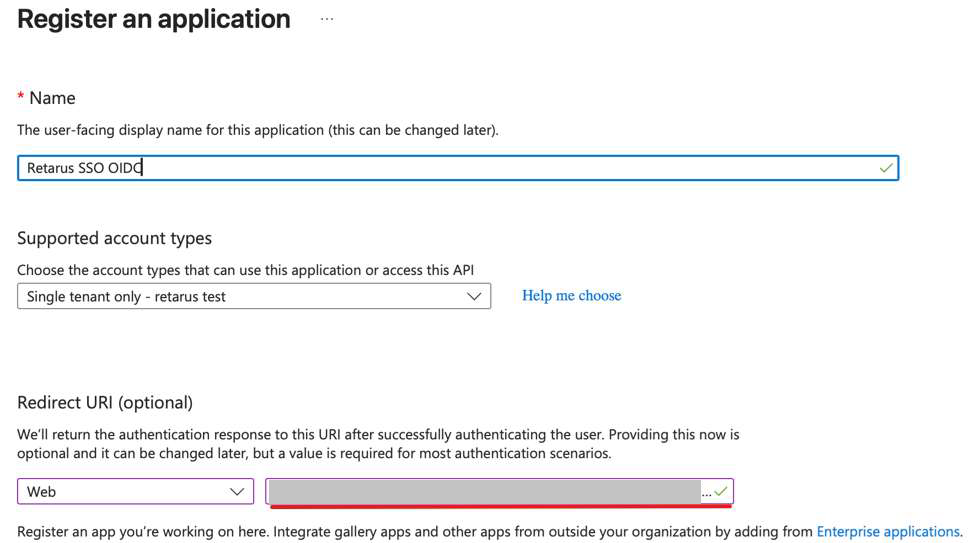
Enter the Redirect URI provided by your Retarus Implementation Engineer into the Redirect URI field.
-
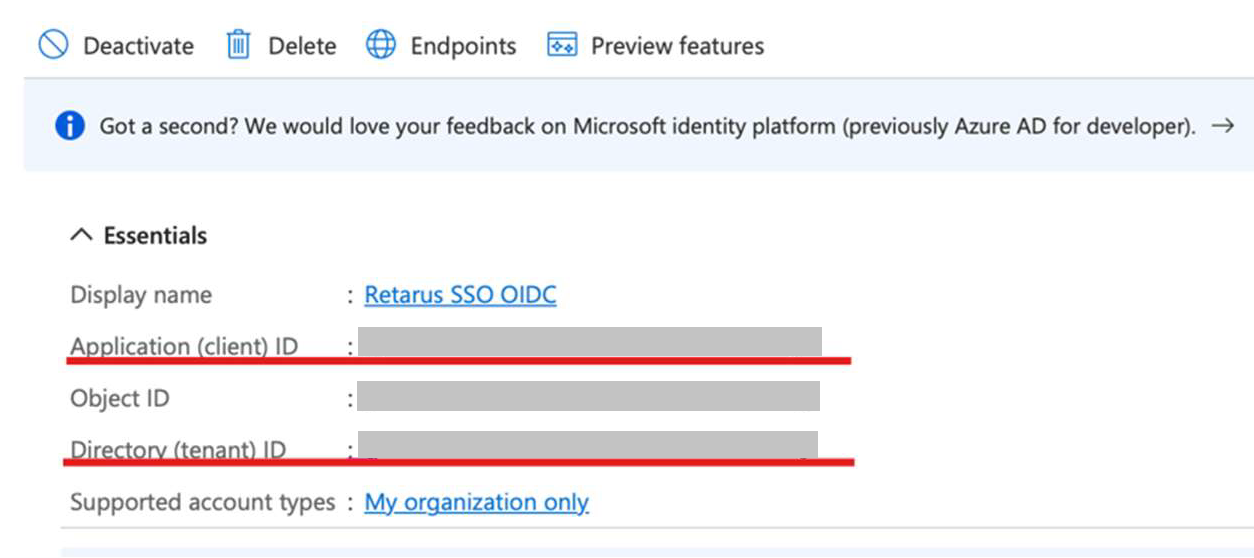
Note down the Application (client) ID and the Directory (tenant) ID.
Create a client secret
-
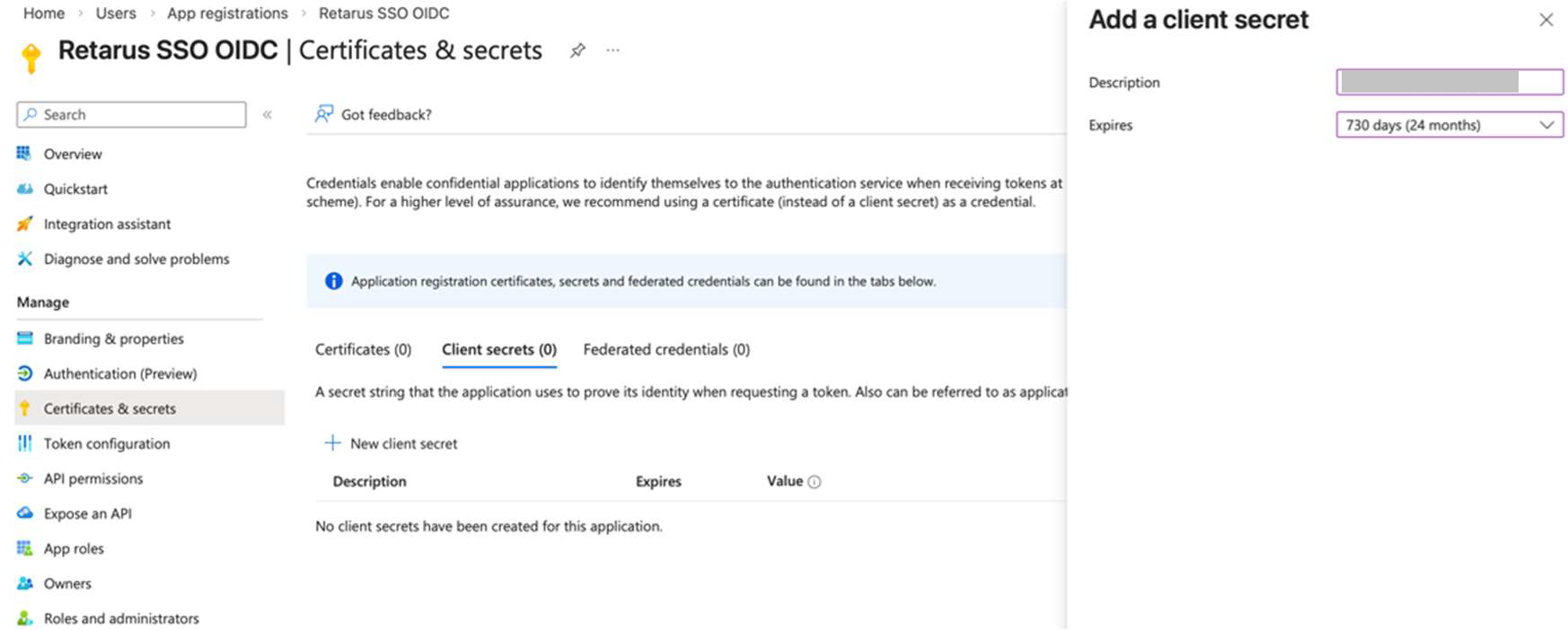
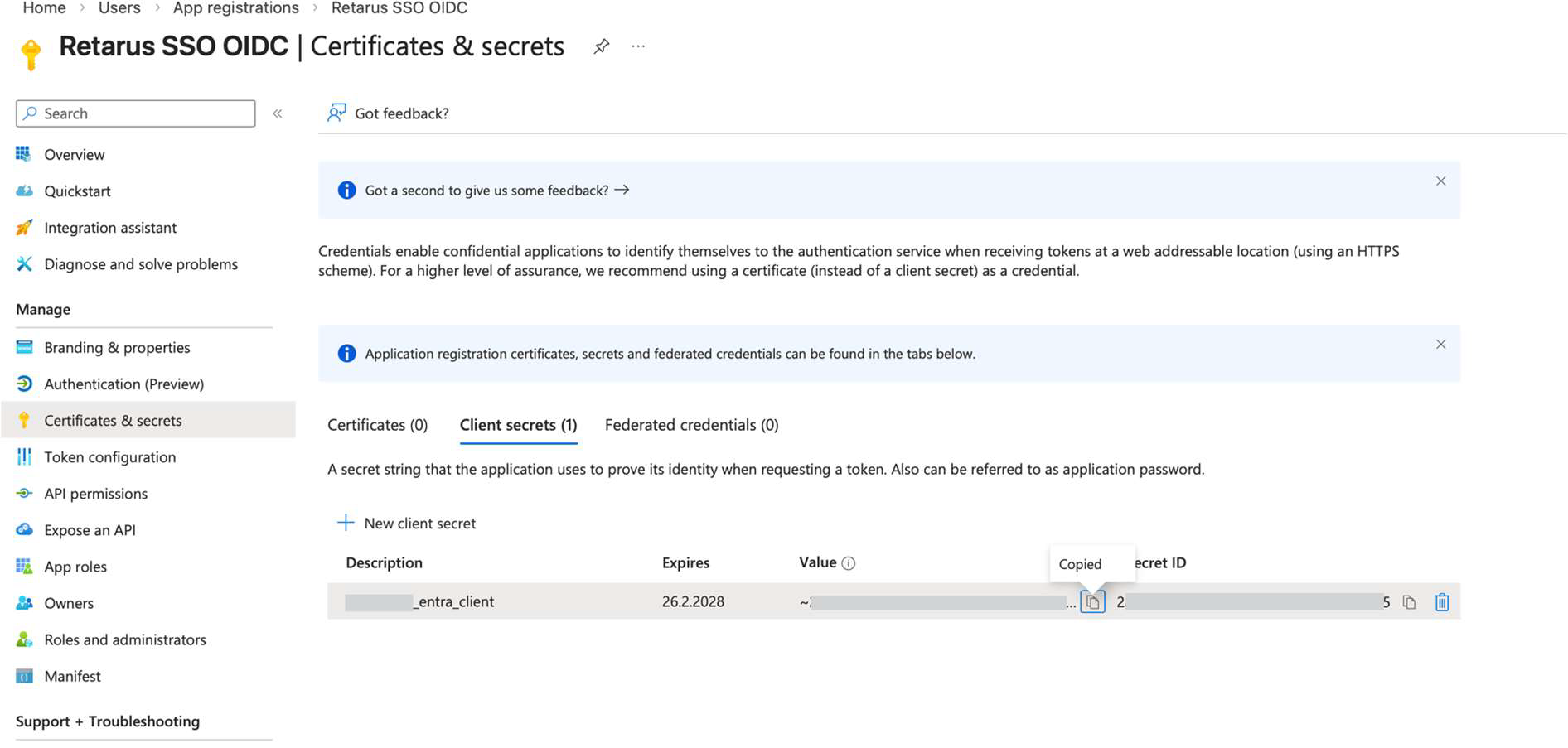
From the left app menu, select Certificates & secrets.
-
Click New client secret and create a secret for the application.
Client secrets in Microsoft Entra ID are valid for a maximum of 730 days (2 years). -
Note down the secret value.
Copy the secret value immediately after creation. It is only visible once.
Retrieve the metadata endpoint
-
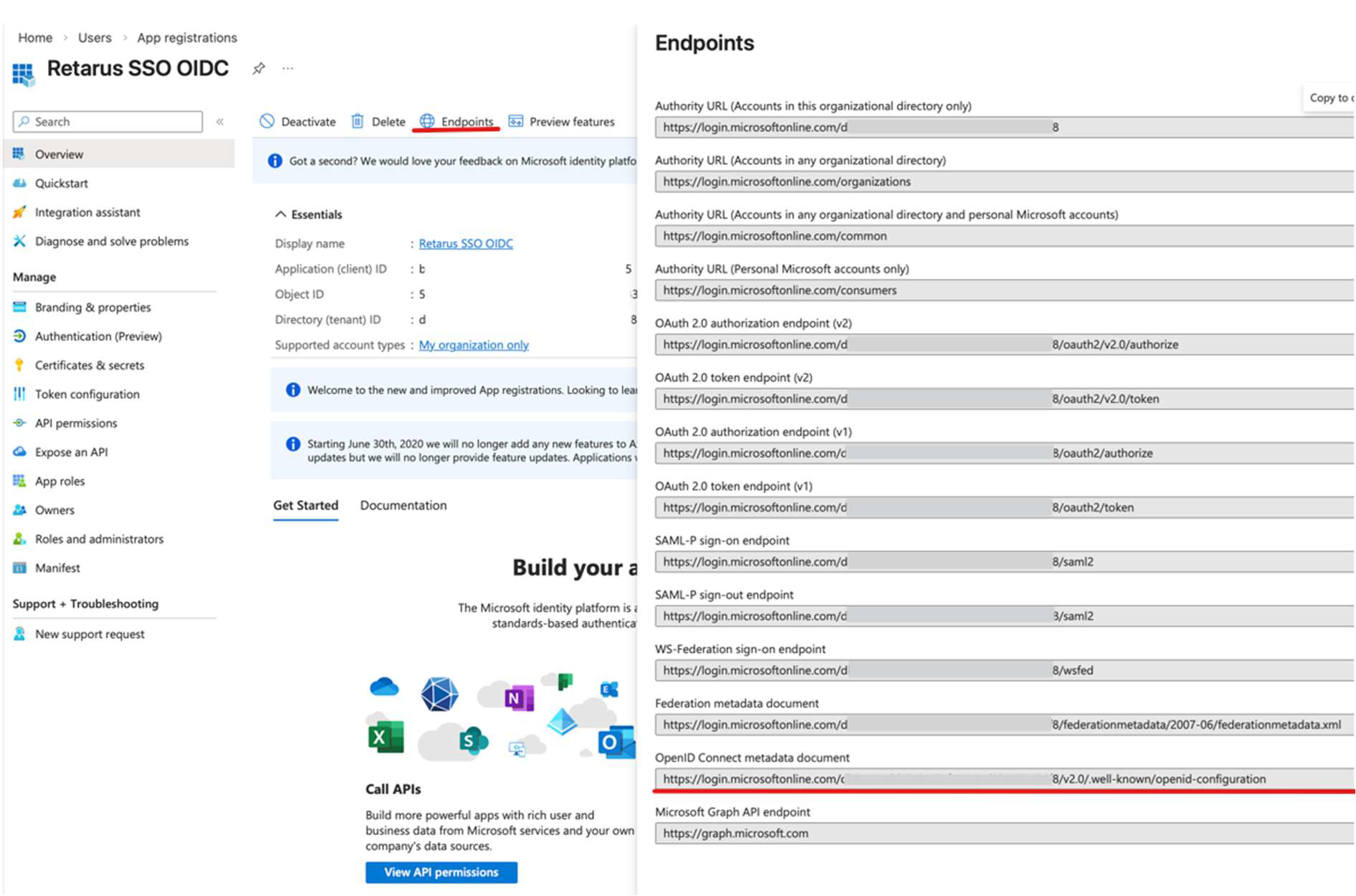
In the top menu, click Endpoints.
-
Copy the OpenID Connect metadata document URL.
Share information with Retarus
Send the following to your Retarus Implementation Engineer to complete the SSO integration:
-
Application (client) ID
-
Directory (tenant) ID
-
Client secret value
-
OpenID Connect metadata document URL