
For both Inbound and Outbound SMS Reporting, you can download, save, and print reports directly from myEAS. Reports can be exported in Excel or CSV format for further analysis, record-keeping, or archiving.
File format limits
-
Excel: up to 250,000 records
-
CSV: up to 500,000 records
If you try to download a report that exceeds these limits, you see an error message indicating that the maximum number of records has been exceeded.
Exporting a report
-
Open the relevant reporting screen (SMS - Inbound Report or Outbound Report).
-
Apply any filters, sorting, or column selections you wish to include in your export.

-
Click the Download Report button.
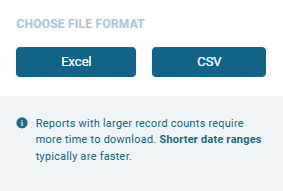
→ The Choose File Format dialog opens prompting you to select the desired file format.
-
Select Excel or CSV format.
-> A message appears indicating that the file is being prepared.
-> Once the export is ready, a notification appears in the top navigation bar, in the Notifications area.
How exports work
When you download an SMS report, the file may not exactly match what you see on screen in myEAS. The exported file includes:
-
All visible columns from your current view (Basic or Custom)
-
All records within the selected date and time range
-
Data sorted by SMS Received in ascending order
The exported file does not include:
-
Any applied filters
-
Any applied sorting
Viewing export notifications
-
Click the Notifications icon (bell) in the top navigation bar to access your personal export notifications.
-> The Notifications sidebar opens, defaulting to the My own tab.
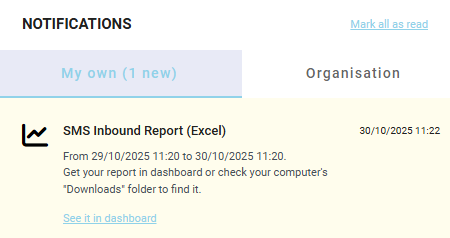
Each notification includes:
-
Title
SMS Inbound/Outbound Report (Excel or CSV) -
Timestamp
From <timestamp> to <timestamp> -
Description
Brief instructions on how to access your generated report
Unread notifications appear highlighted. Click Mark all as read to clear them.
Notifications expire after 3 days, while exported report files remain available for up to 5 days.
Viewing exported reports
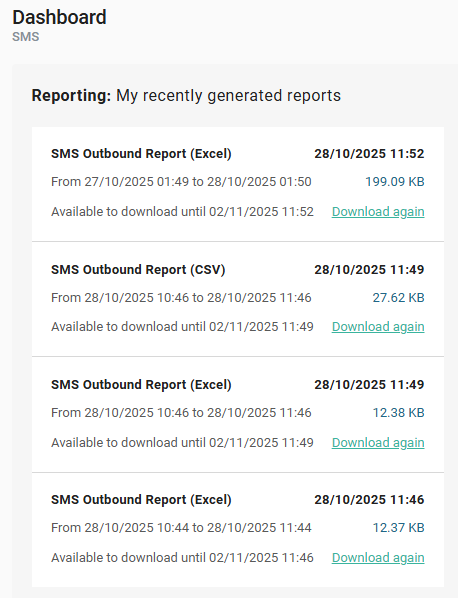
You can view and manage your exported SMS reports from the SMS Dashboard.
-
Reports are listed in descending order by creation time (most recent first).
-
Each report shows:
-
Title
SMS Inbound/Outbound Report (Excel or CSV) -
Date range
From <from> to <to> -
File size
<Size KB> -
Expiration date
Available to download until <expiresAt>
-
You can download a report again directly from the Dashboard:
-
Download now → if the report has not yet been downloaded
-
Download again → if the report has already been downloaded