Review Section
The Review section allows users to report documents that require deeper analysis or quality checks. Reported documents are forwarded to internal reviewers (manager, supervisor, or admin) for further evaluation, correction tracking, and resolution.
Reporting a Document for Review
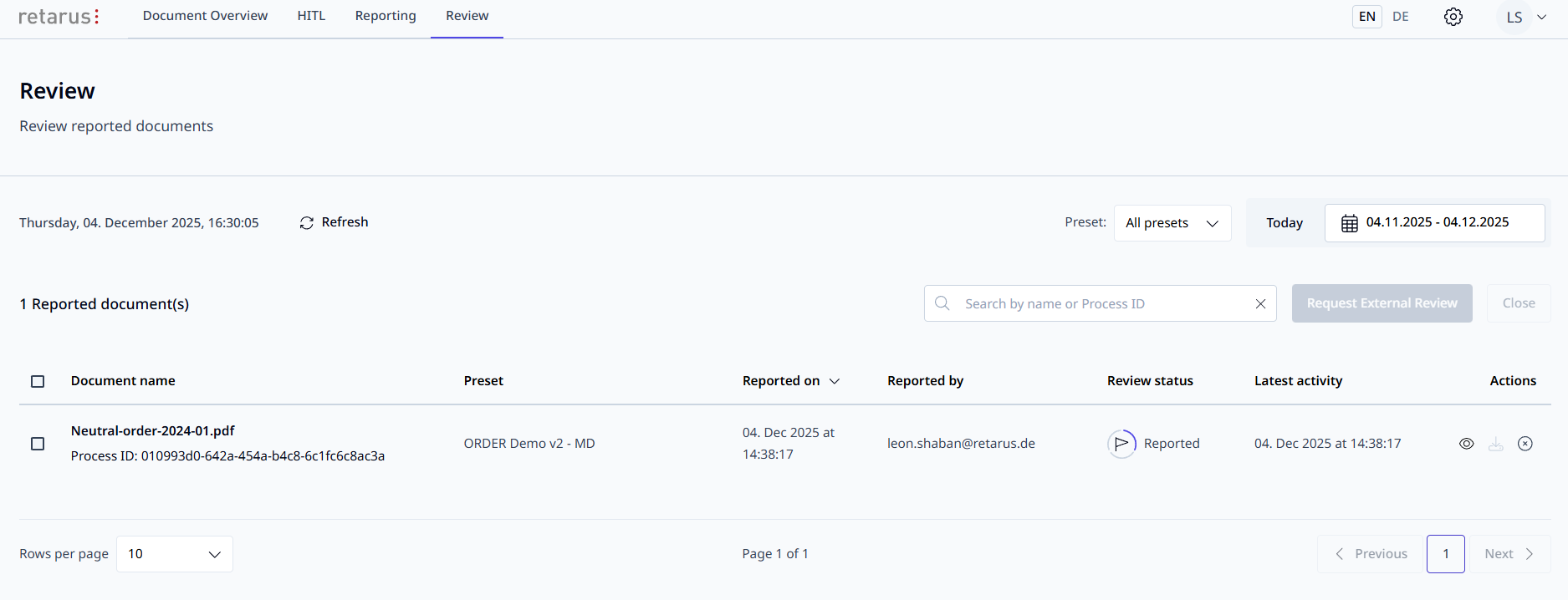
Users can flag any document that appears to be incorrectly processed or contains extraction issues. When a document is reported:
-
It is tagged with an “R” (Review flag)
-
It is added to the Review Report
-
A reviewer will be notified via the Review section
When reporting a document, users are asked to provide:
-
Incorrect Value – The value that was extracted incorrectly
-
Correct Value – The corrected or expected value
-
Optional Note – Additional context to support the reviewer
This information helps improve accuracy, identify pattern issues, and support training or escalation.
Navigating the Review Section
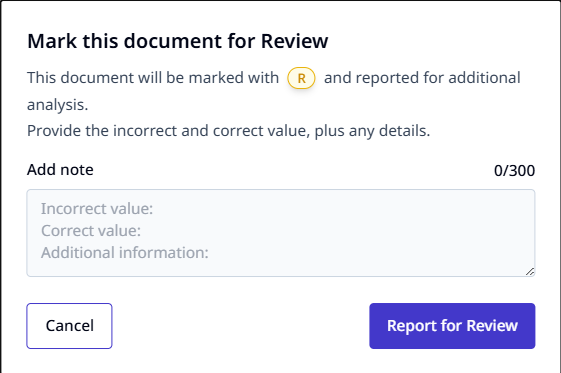
The Review section is dedicated to internal reviewers such as managers, supervisors, or administrators. It provides a structured overview of all reported documents.
Available Filters
Reviewers can narrow down the list of reported items using:
-
Preset – Show documents linked to specific processing flows
-
Date Range – Filter by reporting date
-
Search – Look up documents by file name or process ID
Displayed Information
Each reported document includes:
-
Document Name
-
Preset
-
Reported On – When the document was flagged
-
Reported By – Which user reported the issue
-
Review Status
-
Reported – Newly received report
-
In Review – Currently being reviewed internally
-
Closed – Review resolved
-
Review Actions
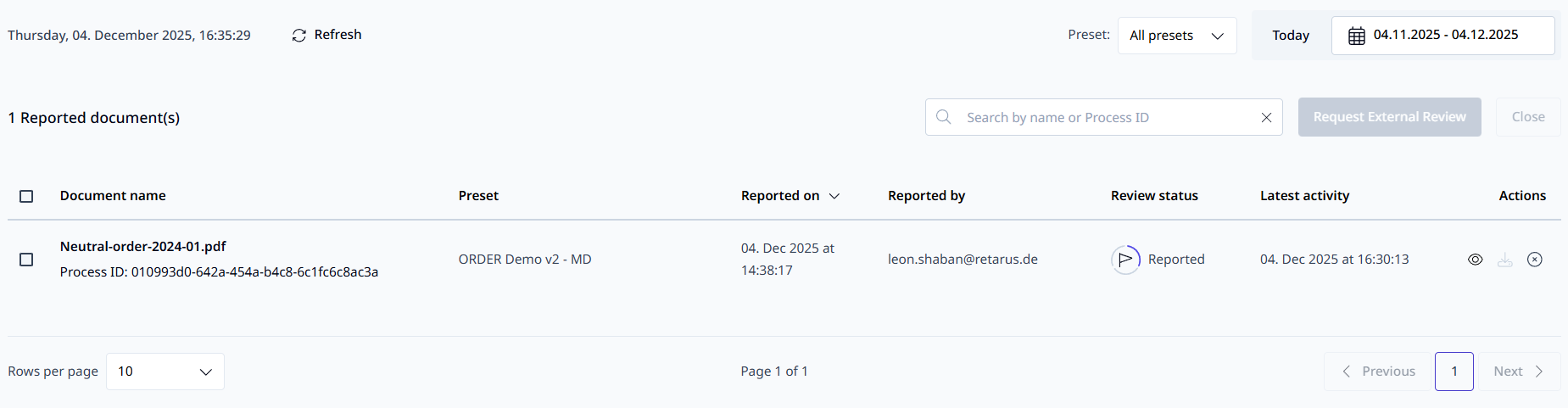
Reviewers have two possible actions for each reported document:
1. Close Review
Marks the reported issue as resolved. This is used when the reviewer has validated the feedback, made corrections, or determined no further action is required.
2. Request External Review
Forwards the document to the Retarus support team (or designated external team) for deeper analysis or troubleshooting.
This action is typically used when:
-
A systemic extraction issue is suspected
-
The preset requires adjustments
-
The reviewer cannot resolve the issue internally
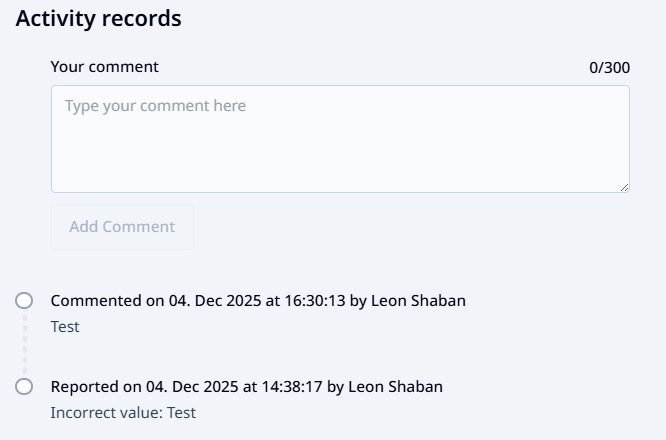
Activity Records
Every document in the Review section includes a detailed Activity Log, showing:
-
Status changes
-
Actions taken by internal reviewers
-
Notes or corrections
-
External review requests
This helps maintain a clear audit trail and ensures transparency throughout the review lifecycle.