
If fax archiving is enabled for your account, you can download the archived document of an individual fax directly from the Inbound Report or Outbound Report in myEAS. Both reports cover your entire archive history, allowing you to find and download older faxes.
📌 Exporting a report is a separate feature. Reports include metadata only and cover up to the last six months of activity. To export report data, see Export fax reports.
Prerequisites
-
Inbound or outbound archiving must be activated for your account, depending on which faxes you need to download.
-
You must have the Export fax documents permission assigned in Classic EAS (EAS - User Management - Fax, under the Reporting group).

Downloading an archived fax
-
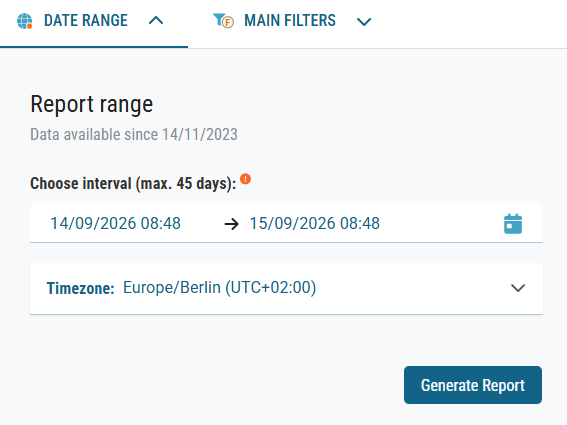
In the Report range panel under the DATE RANGE tab, check Data available since to see the earliest date you can access.
-
Select a date range of up to 45 days that includes the date of the fax you need.
-
Open the Inbound Report or Outbound Report.
-
In the Actions column for the selected fax, click Fax to download the document.
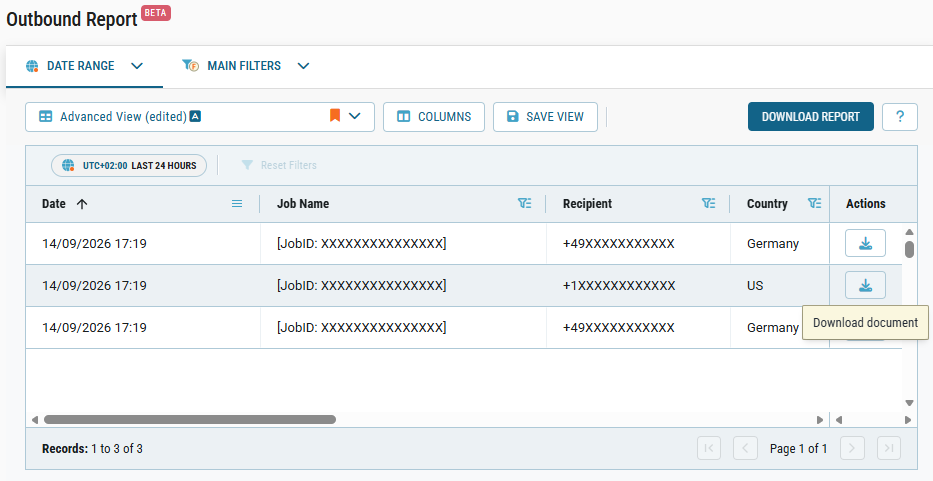
Downloaded outbound faxes use TIFF format. Downloaded inbound faxes use TIFF or PDF format.
The state of the download button reflects the archive status of the document:
-
Active
The fax is stored in the archive and ready to download. -
Grayed out
The retention period has expired, and the fax is no longer available. -
Hidden
The fax was never archived.