
Data Loss Prevention (DLP) checks Outbound emails for certain attachments, defined patterns or in accordance with supervisory recipient controls. This way, confidential information may be prevented from leaving your company via email.
Retarus Data Loss Prevention includes the following elements described in detail below:
-
Pattern Recognition
-
Sender/Recipient Control (“Data Leakage Prevention” in the EAS portal)
-
Outbound Attachment Blocker
DLP – Pattern Recognition
With Pattern Recognition enabled, emails are checked for credit card numbers or bank account numbers (IBAN). If the option is enabled and an email is found to contain this type of pattern, it is not sent out to external recipients.
Administrators can enable or disable the feature, as well as enabling email notification, e.g. to a Security Officer. The notification sent will contain the blocked message as an attachment.
Furthermore, you can activate an option to inform the original sender that the message has been blocked. If enabled, the original sender will receive a notification email.
This feature is available on the company as well as the profile level.
The configuration of this feature is currently handled by Retarus. Please approach your Retarus sales representative or the support for more information.
DLP – Sender Recipient Control (“Data Leakage Prevention”)
EAS - Administration - Email Services - Service configuration - Settings - Data Leakage Prevention
You can use the Sender Recipient Control feature to configure one or more supervisory controls for outbound email communications, allowing you to be aware of what data has been sent and to which recipient. The supervisory controls are configurable at the customer and profile levels and can be customized to meet the differing requirements of individual departments or users.
In order to activate Data Leakage Prevention, at least one outbound email recipient is required to be one of the mandatory recipients. These recipients are specified on the Mandatory recipients list and their inclusion in the email’s distribution list constitutes a supervisory control. At least one of the recipients contained on the list must be entered by all mail users into either the To or the Cc fields in an outbound email. If no mandatory recipient is included, the outbound message gets discarded instead of being delivered.
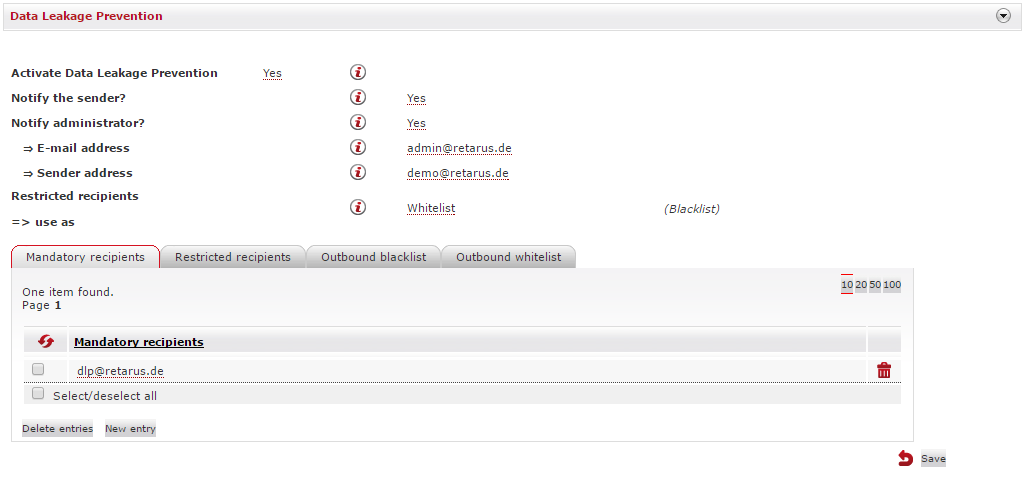
Mandatory recipients
If a sender has not included a mandatory recipient in the To or Cc fields, the email will be discarded and not delivered to the recipient. Should you want the sender to be notified that their email is undelivered, select Yes in the Notify sender? field. If you do not want the sender to be notified, either select No or leave it on the default setting (which is No). It is also possible to have an administrator notified - select Yes in the Notify administrator? field and then enter the administrator’s and sender’s email addresses.
Restricted recipients
You can use the Restricted recipients list as either a block- or allowlist. If used as a blocklist, communication to all addressees on the list requires the inclusion of a mandatory recipient, otherwise the email will be blocked. If used as a allowlist, all addressees require the inclusion of a mandatory recipient, unless they are on the allowlist.
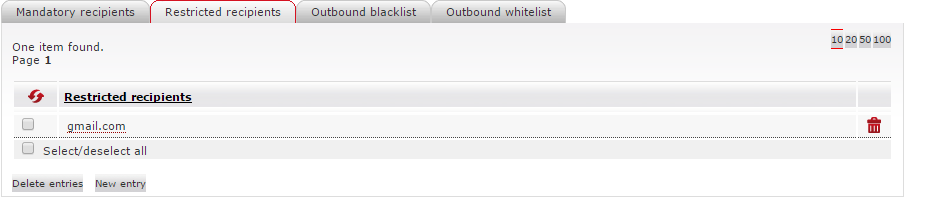
Outbound blocklist
If your company is required to or wants to block email communication with specific recipients or domains (not senders!), you can enter them under the Outbound blocklist tab. Once blocked, no email delivery is possible to these recipients and domains, even when a mandatory recipient is an addressee.
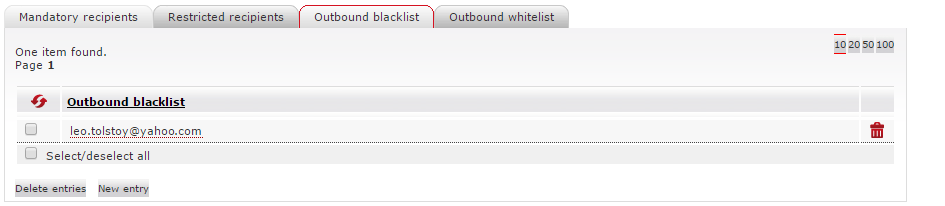
Outbound allowlist
If you want to block an entire recipient domain while also exempting individual recipient addresses under that domain, you can do this in the Outbound allowlist menu. All emails sent to recipients or domains on the allowlist in any scenario are delivered and do not require a mandatory recipient.
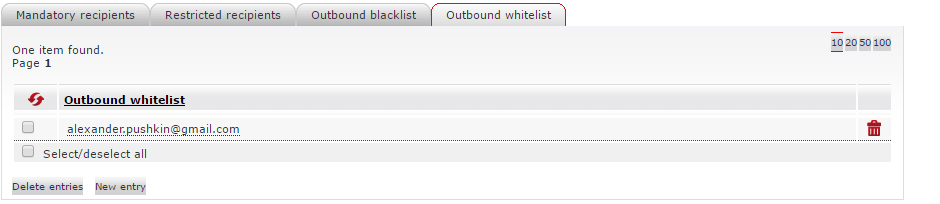
DLP – Outbound Attachment Blocker (new)
myEAS - Email Security - Configuration - Service Configuration - [Level] - Attachment Blocker Inbound / Outbound
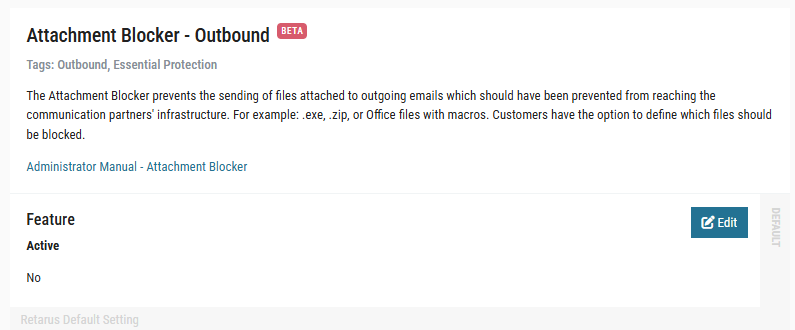
The Outbound Attachment Blocker is part of the Attachment Blocker Inbound / Outbound service and provides a DLP‑light function for controlling which file attachments may be sent externally. It helps prevent unwanted or policy‑violating files from leaving your organization by blocking or removing defined file types in outbound email traffic.
Access and scope
Rules can be created at company, domain, profile, and user level. This allows you to define a global outbound policy and refine it with more granular exceptions for specific groups or individual users.
Activation and list strategy
Each rule can be activated or deactivated using the Active switch. If a rule is inactive, outbound messages are delivered unchanged.
The evaluation of attachments is controlled via the Filter Mode (list strategy). For outbound protection, a blocklist strategy is typically used so that all attachments are allowed except those explicitly listed as not permitted.
Filter configuration
You can define blocked file types using:
-
File extensions, for example
*.pst,*.sql,*.zip,*.rar,*.7zand other sensitive or policy‑relevant formats. -
MIME types, for example
application/x-msdownload, to achieve more precise control over specific file formats.
Additional options include showing original file names in Live Search, blocking password‑protected archives, blocking suspicious archive structures (zip bombs), and blocking unknown MIME types in a strict mode.
Actions and notifications
When a rule is triggered, the primary action on the email can be configured as:
-
ACCEPT – the email is delivered with the attachment.
-
DISCARD – the entire email is deleted.
-
REMOVE – the email is delivered, but the blocked attachment is removed.
For administrative handling, you can define an Admin Action (Skip or Forward) and specify one or more admin email addresses to receive notifications about policy violations.
For end‑users, Sender Notification can be enabled (recommended for outbound) so internal senders are informed when their email or attachment was blocked or removed and can be guided to permitted file‑sharing channels. Recipient Notification is usually disabled for outbound rules, since external recipients should not generally be informed about internal security policies.