
Phishing Filter
Phishing Filter Inbound - Configuration
myEAS - Email Security - Configuration - Service Configuration - [Level] - Phishing Filter
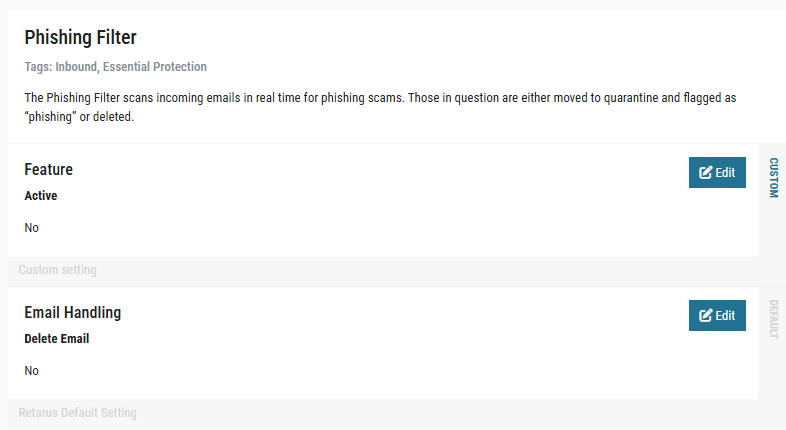
Here, you may decide how to handle Inbound emails containing URLs recognized as phishing threats by our sources. The default setting is to quarantine these messages with the reason/classification “Phishing”, but the safest option is to delete these messages directly. In this case, the user will be informed which message was deleted in both the quarantine and digest, but cannot retrieve the email. In neither case do allowlists apply, i.e. the emails will be quarantined or deleted even if their sender is included in an allowlist. You also have the option of deactivating the filter completely.
Phishing Filter Outbound
It is possible to have also outgoing (Outbound) emails checked for phishing. If this feature is activated, emails classified as phishing are either rejected, tempfailed or discarded silently – depending on your configuration. An Outbound quarantine option does not exist.
The feature may be configured on all hierarchy levels (customer, domain, profile, user).
If you would like to have the Phishing Filter Outbound activated, please refer to the Retarus Support, as this is not possible via the myEAS portal at the moment.
Phishing Filter URL Allow- and Blocklist
In some cases, an allow- or blocklisting of dedicated URLs is required in order to make sure that emails containing these URLs are either definitely blocked or not blocked by the Phishing Filter.
Allow- and blocklisting affects both the Inbound and Outbound Phishing Filter at the same time.
Retarus maintains a global Phishing Filter URL Allow- and Blocklist that is valid for all customers at the same time. Nevertheless, in some cases a customer-specific possibility to allow or block certain URLs is required.
Use cases include:
-
Customers wanting to do phishing awareness campaigns with the need for allowing certain URLs (probably with dynamic subdomains). → URL Allowlist
-
Customers wanting to have immediate possibility to block certain URLs (without the need to contact the Retarus Support). → URL Blocklist
In order to maintain your own customer-specific lists and add or remove URLs to/from the lists, please contact Retarus Support. Soon, we will offer the possibility to maintain the lists via myEAS portal.
To be considered for entries on these Allow- and Blocklists (see the table below for examples):
-
For URLs on customer-specific blocklist, no Patient Zero Detection (PZD) events are generated.
-
Customer-specific lists win over Retarus global lists.
-
Allowlist wins over blocklist.
-
Schema (
"http://"etc.), fragment ("#somefragment") and port ("example.com:21") are cut off. -
Without wildcard, there is no subdomain matching. Subdomain matching may be done by using an asterisk as wildcard in the beginning (
*.example.com). -
Exact matching for path, query parameters and values (all case-sensitively). If the value is left out, any value matches.
-
Host/domain names are normalized, this means that they are matched case-insensitively (
http://Example.comsame ashttp://example.com). Paths and query parameters are not normalized, so they are compared case-sensitively. -
IP v4 notation may be used (except if it's int encoded), IP v6 addresses are not supported.
Examples
|
List Entry |
Matches |
Matches not |
Comment |
|
|
|
|
Scheme is not taken into consideration. Case-insensitive matching for domains. |
|
|
|
|
"*." may be used as wildcard to match any subdomain. |
|
|
|
|
If a path is included in the listed URL, it has to be present to match (exact matching for path, not prefix matching, case-sensitive matching). URLs with additional sub-paths and/or query parameters are matching as well. |
|
|
|
|
Exact match only for query parameters and values (case-sensitive). If multiple query parameters are included, the order is not taken into consideration. |
|
|
|
|
Exact match only for query parameters and values. Additional query parameters (or the order of the parameters) do not affect a match. |
|
|
|
|
"key" (with or without '=') may be used as wildcard for any query parameter. |

Time-of-Click Protection
This service is part of the Retarus Advanced Threat Protection (ATP) package. It must be booked and activated to take effect.
Retarus Time-of-Click Protection (ToCP) is part of the post-delivery protection. When an email has been classified as “clean” and delivered to the recipient, ToCP checks again in real-time the URLs included in the email if a user clicks on them.

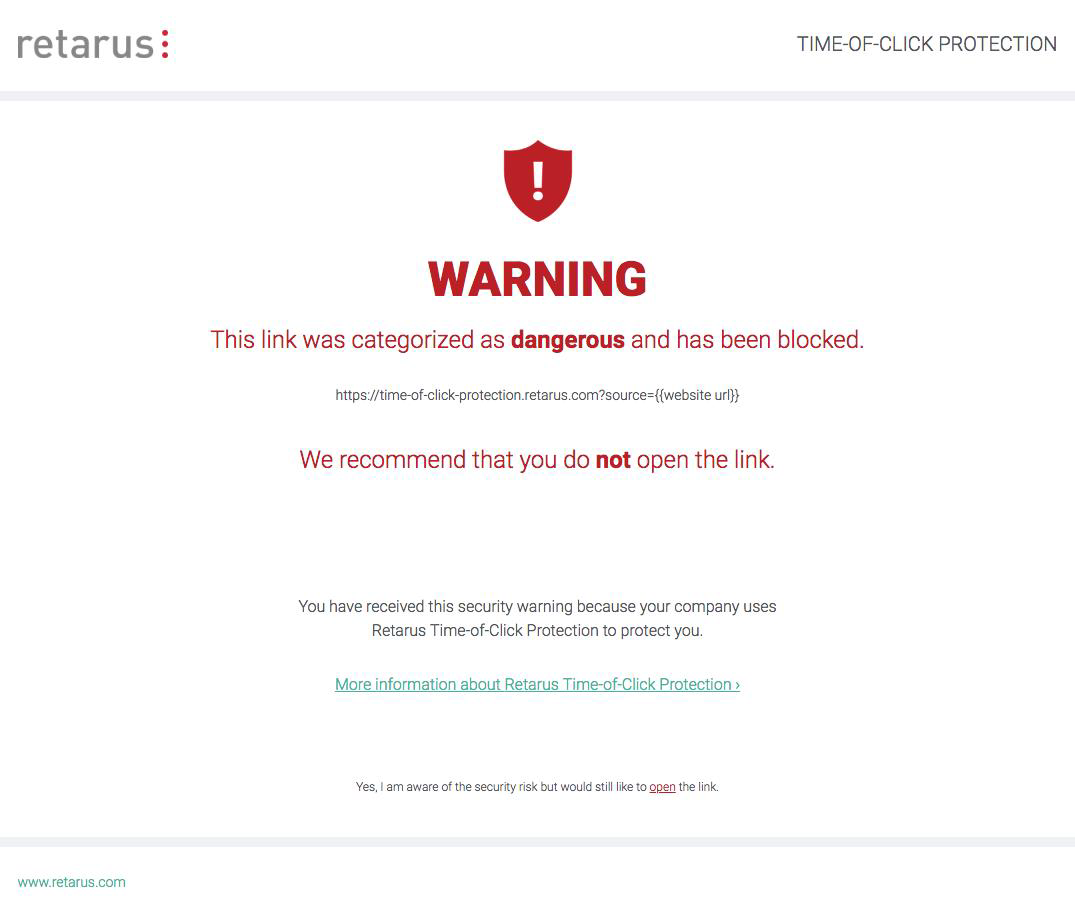
In order to protect your users, ToCP rewrites all URLs in the body of Inbound emails and replaces them by a URL beginning with https://protection.retarus.com followed by the original URL and a unique hash. On hovering over the link with his mouse, a user may see the rewritten link including the original target in his email client before clicking on it. When the rewritten URL is clicked, the user is redirected to the Retarus servers, the URL is checked by the Retarus Phishing Detection again and if the rating is still “clean”, the user is forwarded directly to the original URL without any remarkable delay. On the other hand, if the URL is now rated as “malicious”, the user gets displayed a block page.
The following block page is displayed by default:
Configuration
myEAS - Email Security - Configuration - Service Configuration - [Level] - Time-of-Click Protection
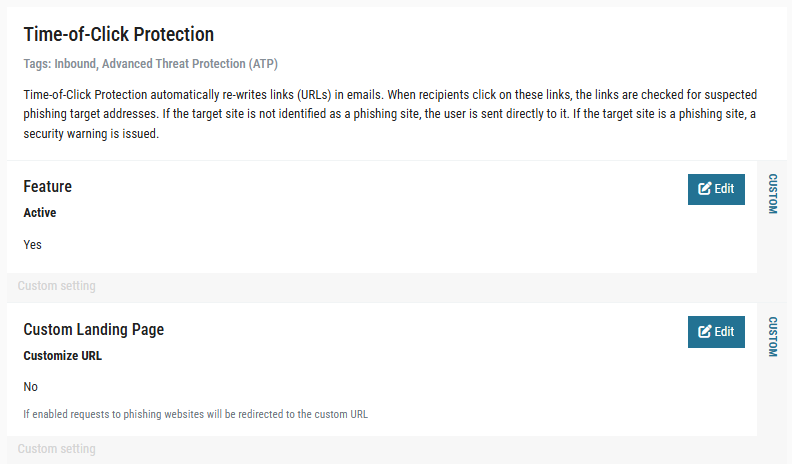
In the myEAS portal, the service may be activated/deactivated and a custom block page may be defined:
-
Feature – Active
Activation or deactivation of the Time-of-Click Protection (disabled by default). -
Custom Landing Page
When Time-of-Click Protection is activated and the end user clicks on a URL that is rated as “malicious”, the gets redirected to a block page (see service description above). By default, an English page with Retarus logo (see above) is used. With the setting “Custom Landing Page”, you may define another custom block page.
Configuring a custom block page can only be done on customer level.
If you would like to use the Retarus default, but in German, enter the following URL. (Other languages are not available as of now): https://protection.retarus.com/de/finding?url=%7B%7BURL%7D%7D
If you would like to use another individual page (incl. your logo etc.), you may create and host this page on your webserver. In this case, you may configure one of the following URLs to use it for Time-of-Click Protection findings.
https://your.landingpage?url={{URL}}
https://your.landingpage#{{URL}}
https://your.landingpage/{{URL}}
The placeholder{{URL}}gets replaced with the original target URL. The placeholder isn’t mandatory, but you may use it to include the original URL on your page. This can be helpful, but on the other hand it also poses a security risk.
For a custom block page, the use of https is recommended, because our service uses https as well. When redirecting from https to http, most browsers display a security warning to the user.