
For all Outbound emails, customizable personal signatures and disclaimers may be used. When created, these signatures/disclaimers are added automatically at the end of every outgoing email.

The configuration may be reached via:
EAS - Administration - Email Services - Service configuration - Signature
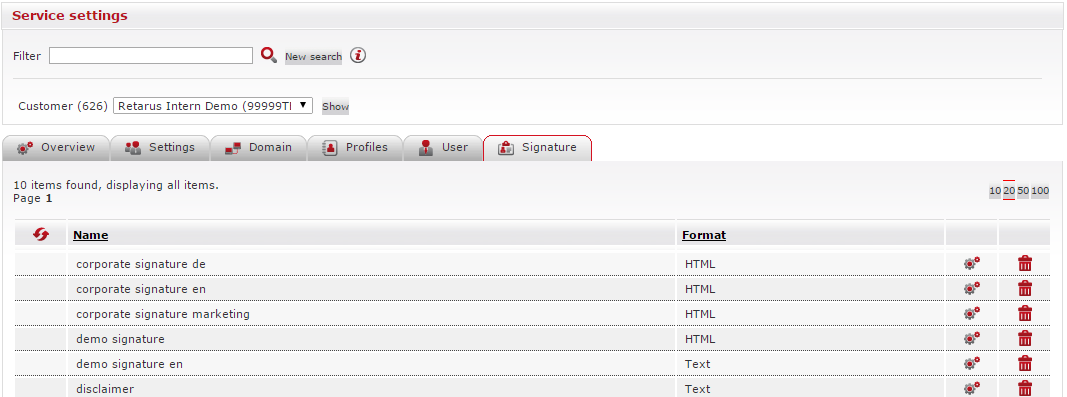
You may create a new signature by clicking on the Add signature button below the table. A blank entry field appears at the top of the Name column. After you name the signature, you can select a format for it (either Text or HTML).
The next step is to click on the settings icon ( 
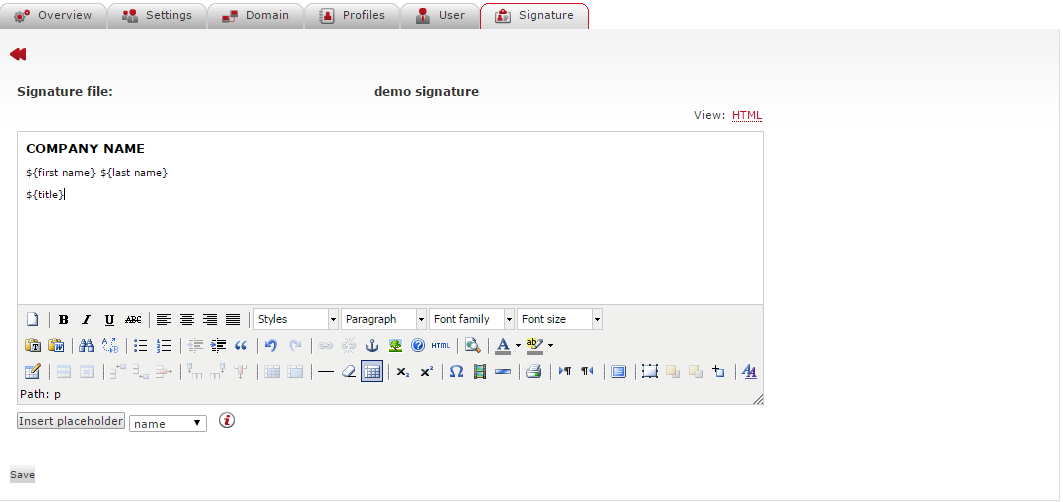
When you click on this icon for an existing signature, the signature file interface that appears has various placeholders for data such as the employee name, title, department, and extension are available under the Insert placeholder drop-down menu located in the lower part of the Editor. You can import this data directly from Lotus Domino/Notes or your Active Directory.
The use of placeholders minimizes the effort of maintaining mandatory data in business emails in accordance with legal guidelines. These requirements are identical to the content found in traditional business correspondence, and include, among other items, the firm’s legal domicile, its legal form, the name of the managing director, and the relevant court of registry. Disclaimers can be used to legal information or disclaimers of liability in emails.
The assignment of signatures occurs at the profile level. You can opt to have signatures and disclaimers in combination with each other.