
When a user is created but has not yet completed their registration, their status appears as Pending activation in the user list.

-
Click the Settings icon on the main Fax Portal page.
→ The Users window is displayed. -
Look for users with the Pending activation badge next to their name.
→ These users have not yet completed the registration process and cannot sign in to the portal.
To resend the activation email to a pending user, click the More actions icon and select Resend Sign-up Emails.
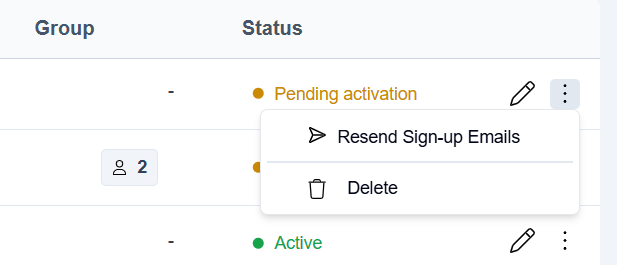
This action is not available in SSO-enabled tenants. Users in these tenants activate by signing in through your identity provider instead of following a registration link.
📌 Rate limiting
You can only resend the activation email once every 5 minutes. If you attempt to resend within 5 minutes, a dialog appears informing you that the email was already sent and to wait before trying again.