The Enterprise Fax Portal sends automated email notifications to keep you informed about fax activity and changes to faxboxes and user groups you are responsible for. Notifications are triggered immediately after a change is saved. If multiple changes are made in one action, they are summarized in a single email.
There are two types of notifications:
-
Personalized notifications
Sent to individual users when their faxbox access changes. These notifications are enabled by default and cannot be turned off. -
Owner notifications
Sent to all current faxbox owners or group owners when key changes occur. These notifications are enabled by default and can be turned off in My Profile.
📌 Feature activation
Email notifications are only sent if the Notifications feature is enabled for your tenant. Contact your Retarus representative if notifications are not appearing.
Faxbox notifications
Access change notifications
When a user or user group is assigned to or removed from a faxbox, the affected users receive a personalized email notification. These notifications cannot be turned off.
|
Event |
Recipient |
|---|---|
|
A user is assigned to the faxbox |
Assigned user |
|
A user is removed from the faxbox |
Removed user |
|
A user group is assigned to the faxbox |
All members of the assigned group |
|
A user group is removed from the faxbox |
All members of the removed group |
Faxbox change notifications
When important changes are made to a faxbox, all current faxbox owners receive a group email notification. The person who made the change (an owner or an administrator) is also included in the recipient list.
A notification is sent when any of the following occurs.
|
Change type |
Trigger |
|---|---|
|
Faxbox setup |
A faxbox is created when the mandatory fields (name and owner) are complete and the Complete step is reached. |
|
Name changes |
The faxbox name is changed. |
|
Owner changes |
A faxbox owner is added or removed. |
|
Sending number changes |
A sending fax number is assigned or removed. |
|
Receiving number changes |
A receiving fax number is assigned or removed. |
|
User group changes |
A user group is assigned to or removed from the faxbox. |
|
Faxbox removal |
The faxbox is deleted. |
Example
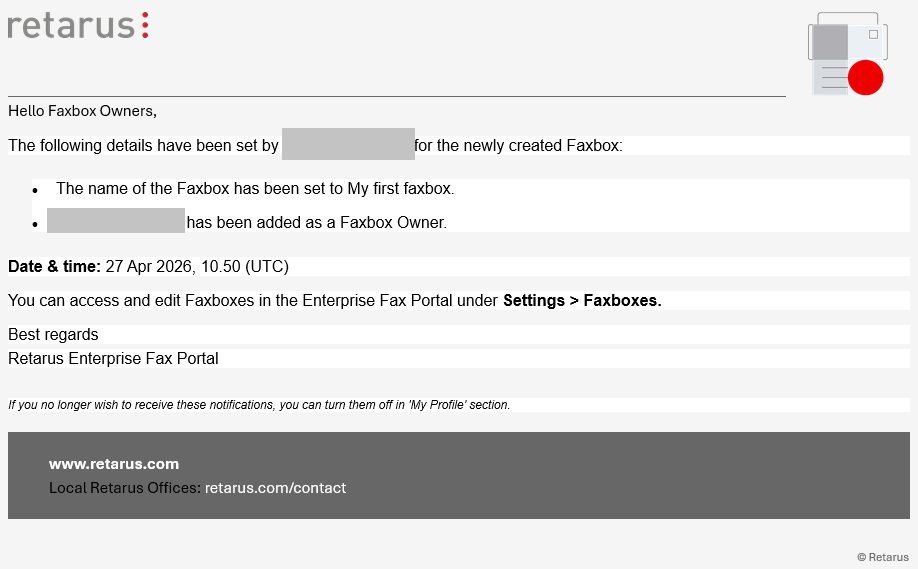
Each notification email includes:
-
What changed
-
The name of the affected faxbox
-
The faxbox owner or administrator who made the change
-
When the change occurred
If you no longer wish to receive these notifications, you can turn them off in the My Profile section.
User group notifications
When key changes are made to a user group, all current group owners receive a group email notification. The person who made the change—either an owner or an administrator—is also included in the recipient list.
A notification is sent when any of the following occurs.
|
Change type |
Trigger |
|---|---|
|
Group creation |
A user group is created and fully configured. |
|
Owner changes |
A group owner is added or removed. |
|
Member changes |
A group member is added or removed. |
|
Name changes |
The group name is changed. |
|
Group deletion |
The group is deleted. |
Example
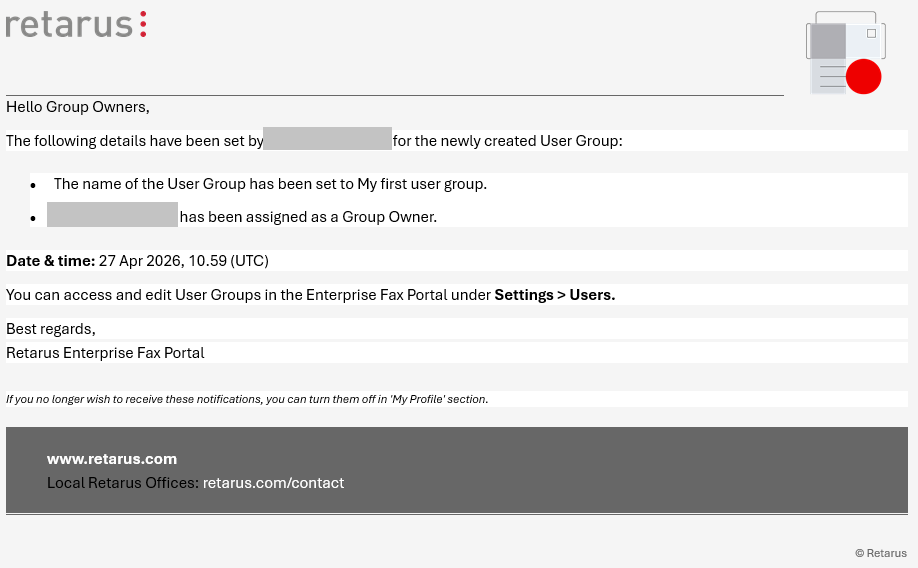
Each notification email includes:
-
What changed
-
The name of the affected user group
-
The group owner or administrator who made the change
-
When the change occurred
You can turn off these notifications in the My Profile section.
Fax activity notifications
When a fax is received or a sent fax fails to deliver, the portal can notify you by email. Each notification email includes a direct link that opens the specific fax in the portal.
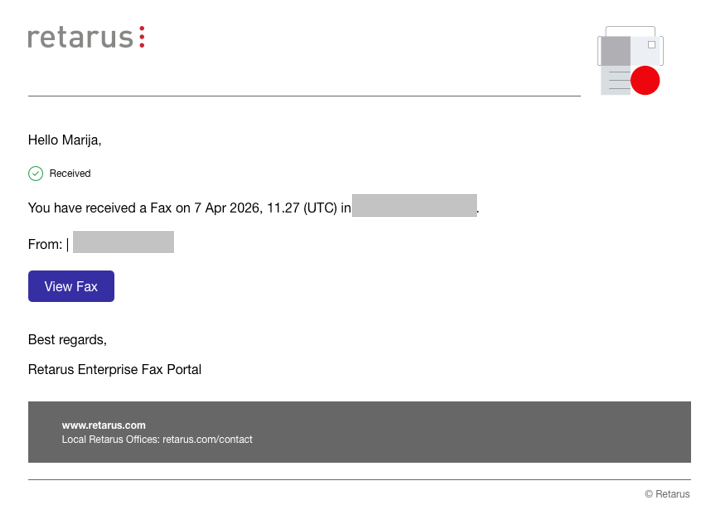
Clicking the link opens the fax immediately if you are already signed in. If you are not signed in, you are prompted to sign in and then automatically redirected to the fax.
If the link cannot open the fax, one of the following messages is displayed:
-
Access denied
The fax has been moved to a faxbox you no longer have access to. -
Page not found
The fax has been permanently deleted, or it was exported to S3 storage and is no longer available in the portal.
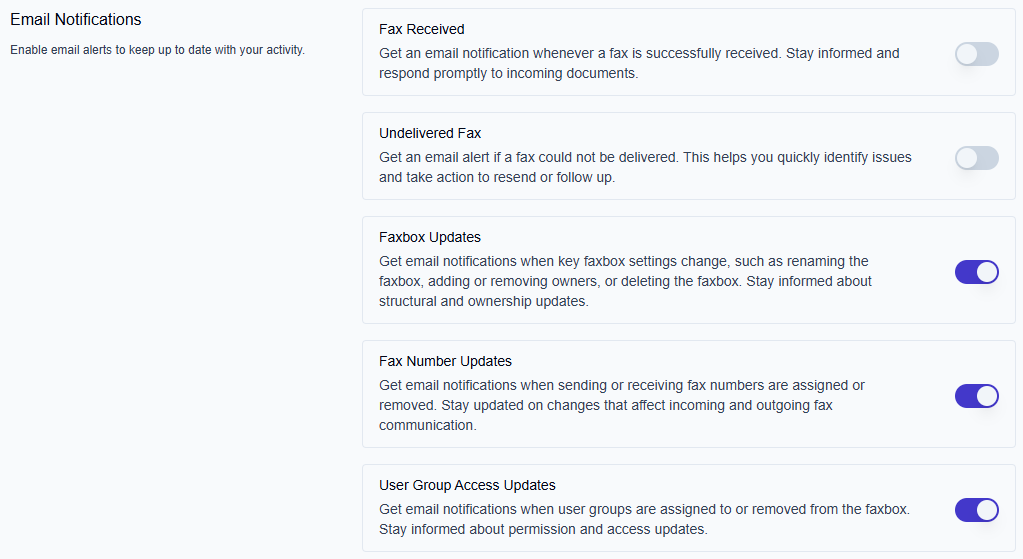
Fax activity notifications are off by default. You can turn them on in the My Profile section.
Managing your notifications
You can manage your notification preferences in My Profile. The notification options available to you depend on your role.
|
Notification |
Default |
Available to |
Description |
|---|---|---|---|
|
Fax Received |
Off |
All users |
Receive an email with a direct link to the fax when a fax is successfully received. |
|
Undelivered Fax |
Off |
All users |
Receive an email with a direct link to the fax when a sent fax could not be delivered. |
|
Faxbox Updates |
On |
Faxbox owners only |
Receive an email when key faxbox settings change, such as the faxbox name, owners, or deletion status. |
|
Fax Number Updates |
On |
Faxbox owners only |
Receive an email when sending or receiving fax numbers are assigned or removed. |
|
User Group Access Updates |
On |
Faxbox owners only |
Receive an email when user groups are assigned to or removed from a faxbox. |
|
User Group Updates |
On |
Group owners only |
Receive an email when key user group settings change, such as owners, name, or deletion status. |
To manage your notifications:
-
Click your Avatar icon in the top-right corner of the Enterprise Fax Portal.
-
Select My Profile from the dropdown menu.
-
Scroll to the Email Notifications section.
-
Use the toggle next to each notification type to turn it on or off.