
If a failed fax no longer needs to be resent, for example, because the recipient was contacted by another means, you can manually mark the fax thread as resolved without sending a new fax.
You can mark a fax as resolved in either of these ways:
-
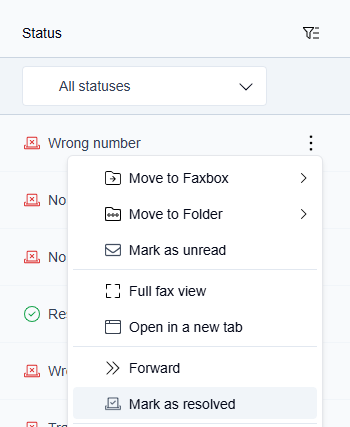
Hover over a fax in the Undelivered tab and click the More actions icon, then select Mark as resolved.
-
Preview a fax in the Undelivered tab, click the More actions icon in the top right corner of the preview window, then select Mark as resolved.
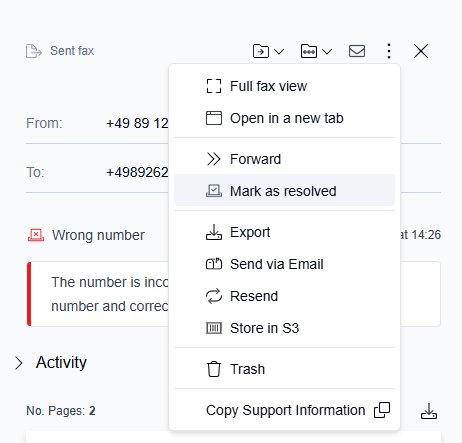
The thread moves from Undelivered to the Resolved tab. The Action column on the parent row shows Manually resolved.
Undoing a manual resolution
After marking a fax as resolved, a snackbar notification appears at the bottom of the screen,
"Fax marked as resolved", with an Undo button.

-
Click Undo within 5 seconds to reverse the action.
→ The thread returns to the Undelivered tab.
-
If you do not click Undo within 5 seconds, the resolution is confirmed, and the snackbar disappears.