
Use the PDF Editor to review and edit faxes before you send, forward, export, email, print, download, or store them.
Edit and storage behavior
-
Edits are temporary when you send a new fax, forward, export, or email an existing fax. They do not change the original fax stored in the Fax Portal.
-
When you store a received fax in S3, the system moves the fax to S3 with all applied edits. The original version is no longer available in the Fax Portal.
-
When you store a sent fax in S3, only the edited version is sent to S3. The original fax remains in the Fax Portal.
Save your changes
Edits are not applied automatically.
-
When you finish editing, click Save.
→ A confirmation dialog appears. -
Click Save changes to confirm or Cancel to return to the editor.
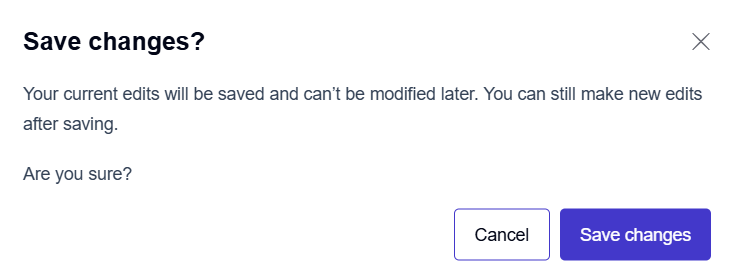
Saving applies all current edits to the fax. After you save, you cannot modify the changes you made.
Undo & Redo
The editor toolbar includes Undo and Redo options. These apply to all editing actions across all tools, including redactions, annotations, extractions, and signatures.

-
Undo

Reverts your most recent action. -
Redo

Restores the last action you undid.
Print
You can create a hard copy of your edited fax. Printing does not affect the saved or sent version.
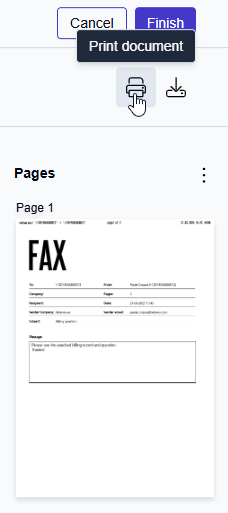
To print a fax:
-
Click the Print icon

-
In the print dialog, adjust printer settings, page range, and orientation as needed.
-
Confirm to start printing.
Download
You can save a local copy of your edited fax. Files are downloaded as PDFs.
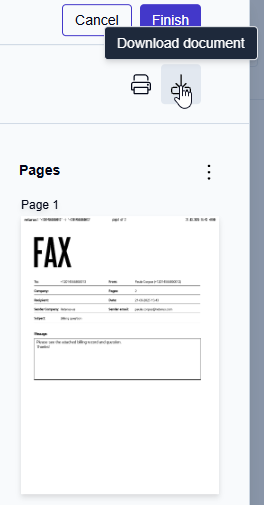
To download a fax:
-
Click the Download icon

Global editor behavior
-
You can use multiple tools during a single editing session and switch between them as needed without interrupting your work.
-
All changes remain editable and reversible until you save, which gives you flexibility to review and refine your work.
-
Navigation features such as scrolling, zooming, and thumbnail views are always available and work consistently, regardless of which editing tool is active.